A closer look at what you get.
Set up a job with its contract and budget, issue purchase orders against it, log the bills as they come in, and see what every budget line has committed, invoiced, paid and left. Change orders, RFIs, submittals, schedules and crews sit on the same job.
Create your free workspaceNo credit card, not a trial, nothing to install.
Most free project management software is a task list, or a trial that runs out the week your job gets busy. This is the same project management that runs inside our full construction platform, with the budget, the purchase orders, the bills and the paperwork for every job.
You build each job's budget yourself, the way you already keep it: typed in, dropped in from a spreadsheet, or pasted from anything into AI Assist. From then on, every purchase order and bill lands on a budget line, so you can see what each line has left.
Name the job, pick its client or type a new one, and pick the job site address from the suggestions. The address sets the geofence your crew clocks in against.
Enter the original contract sum, the overhead and profit in it, your retainage %, any change orders approved so far and the job's labor budget.
Add the lines you cost the job against: type them in, drop in a CSV spreadsheet, or paste a budget in any format into AI Assist. Every dollar of the contract goes to overhead and profit, labor or a line.
Issue a purchase order and pick the budget line each PO line is charged to. The money shows as committed on that line before the bill arrives.
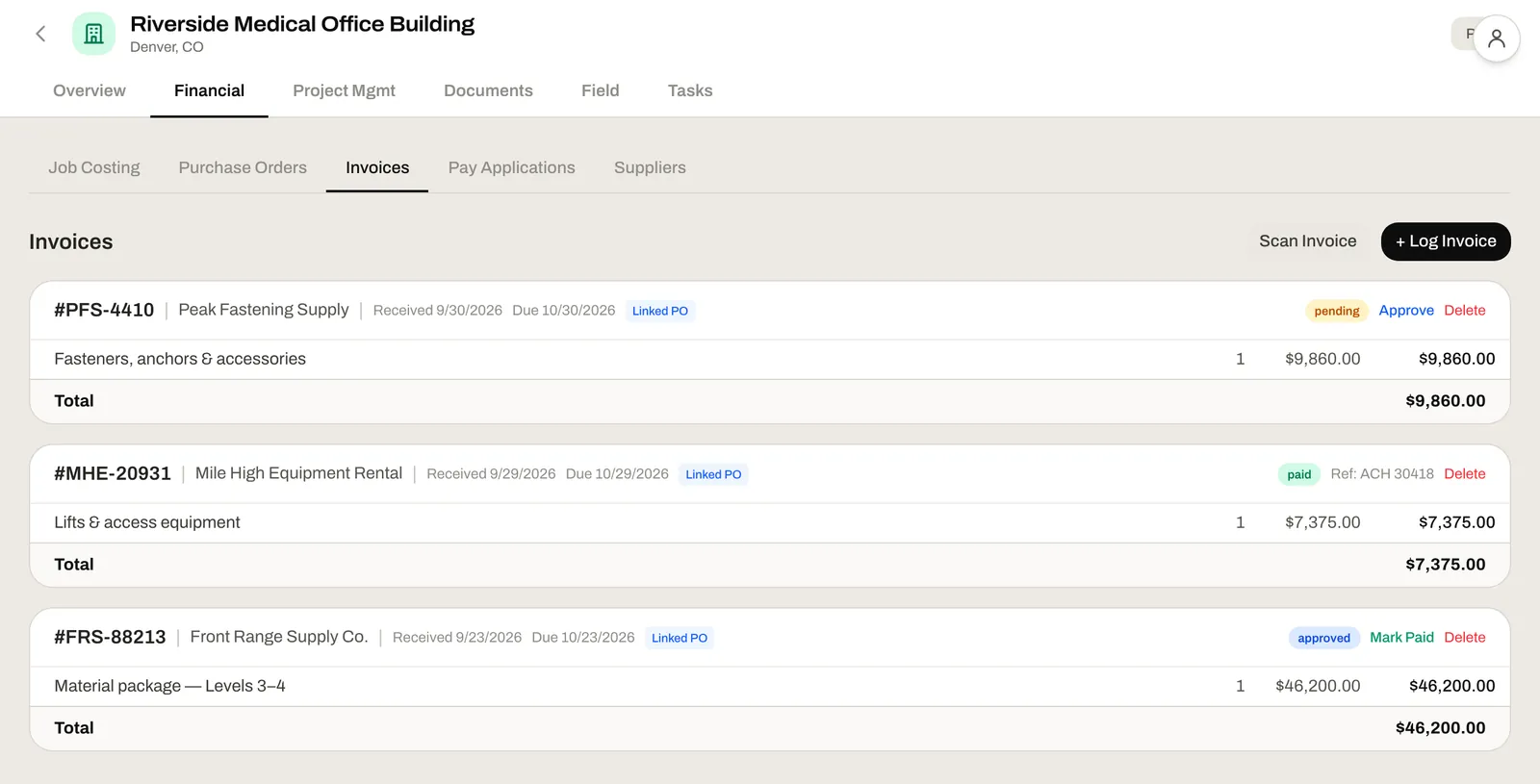
Log a supplier's invoice by hand or scan it, link it to its PO, approve it, then mark it paid with your check or payment reference.
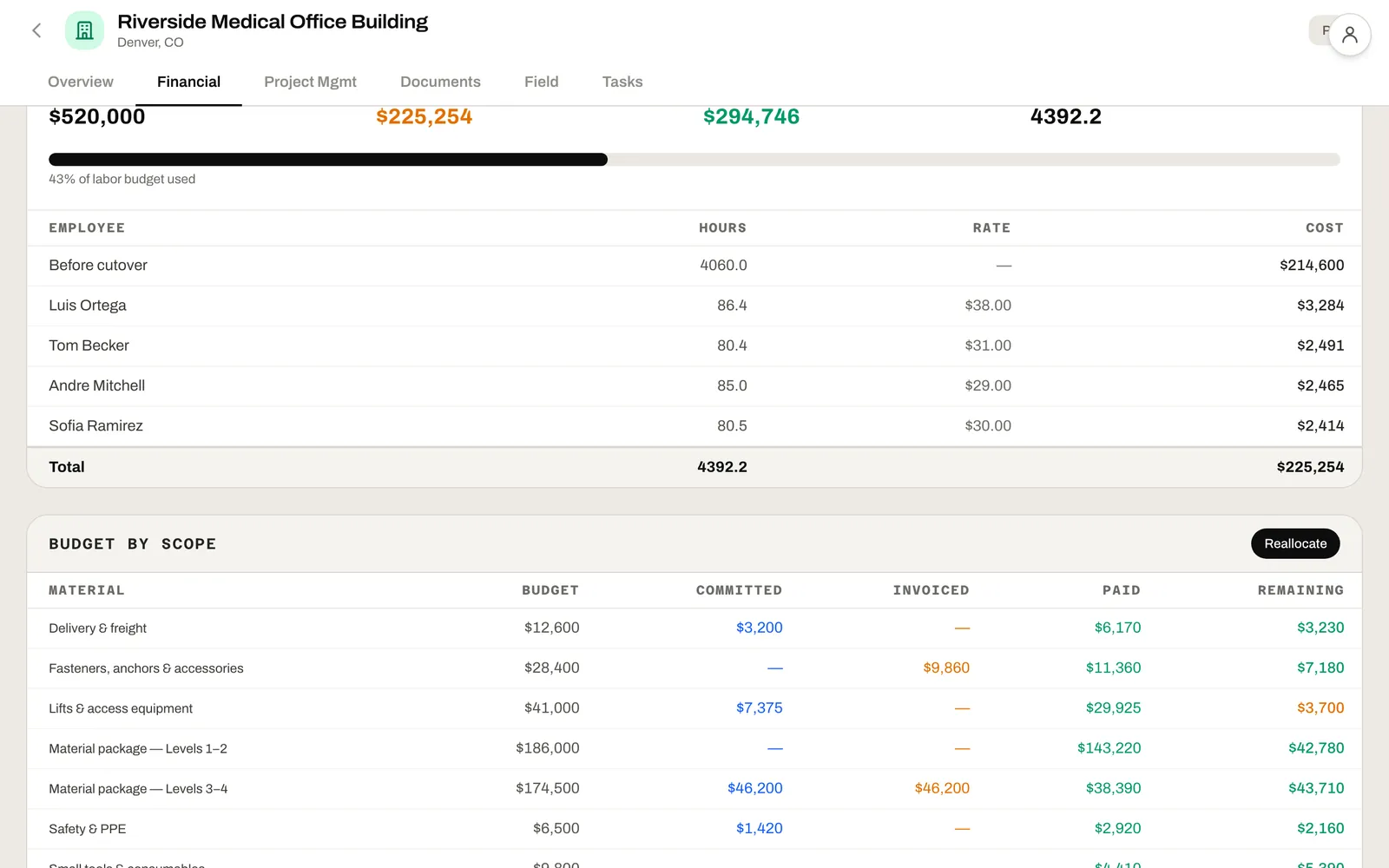
Every budget line shows its budget, committed, invoiced, paid and remaining. When a line runs hot, Reallocate moves money from another line once it's approved.
Each job keeps its money, its paperwork and its people on one page, under Overview, Financial, Project Mgmt, Documents, Field and Tasks.
Budget, committed, invoiced, paid and remaining for every line, plus what was bought off a line and the tax and freight, so the columns add up to the job.
Every PO line names its budget line. Send the PO, save it as a PDF or print it, and see what's invoiced and what's still open on each line.
Log or scan a bill, link it to its PO, then approve it and mark it paid. Pending, approved and paid bills sit on one list.
Set a cost code once, on the budget line. Its PO lines take it, and so do the bills from them.
Move money from one budget line to another as a request, approved by whoever reviews approvals. Each request stays on the job's record.
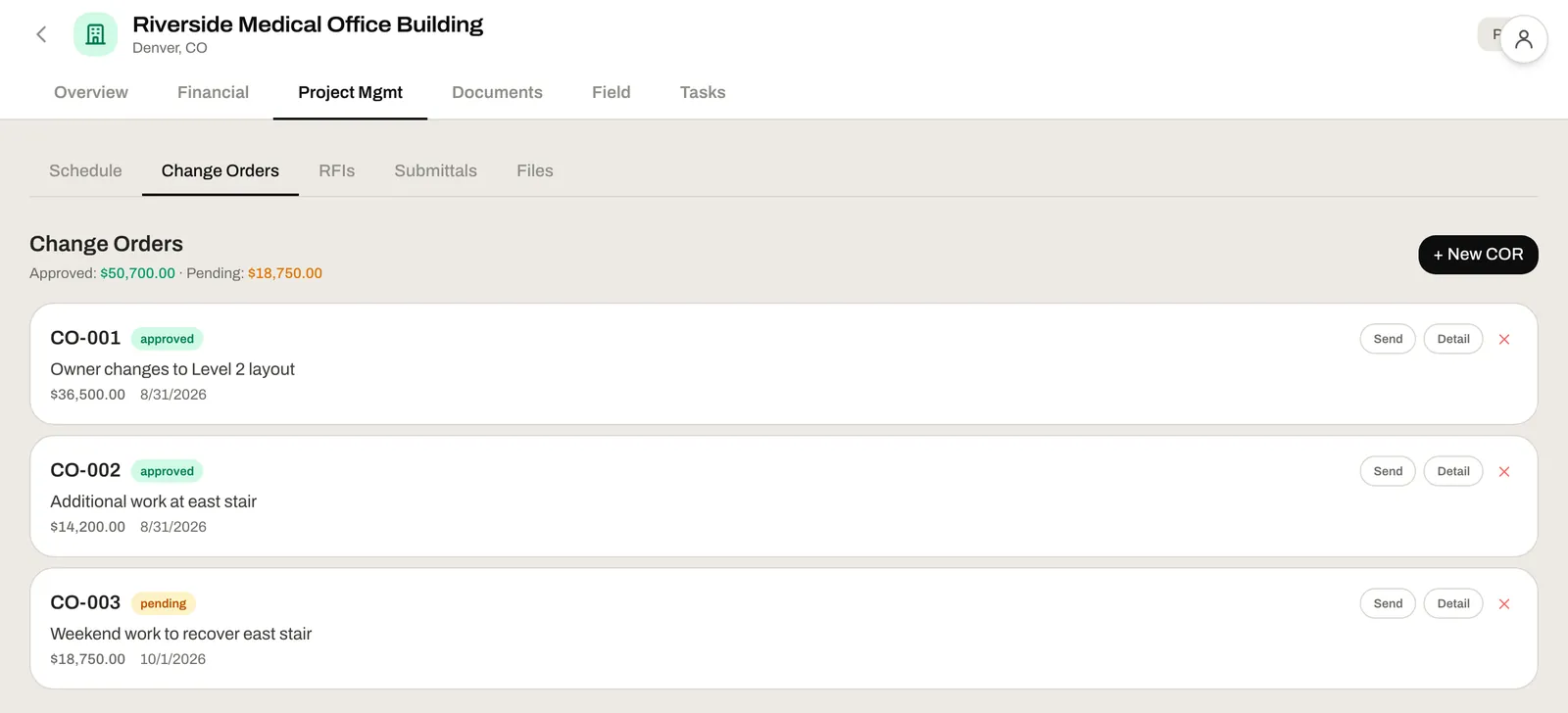
Write a change order request line by line, send it or save the PDF, and approve it. Its lines add to the budget lines they name, or to a new one.
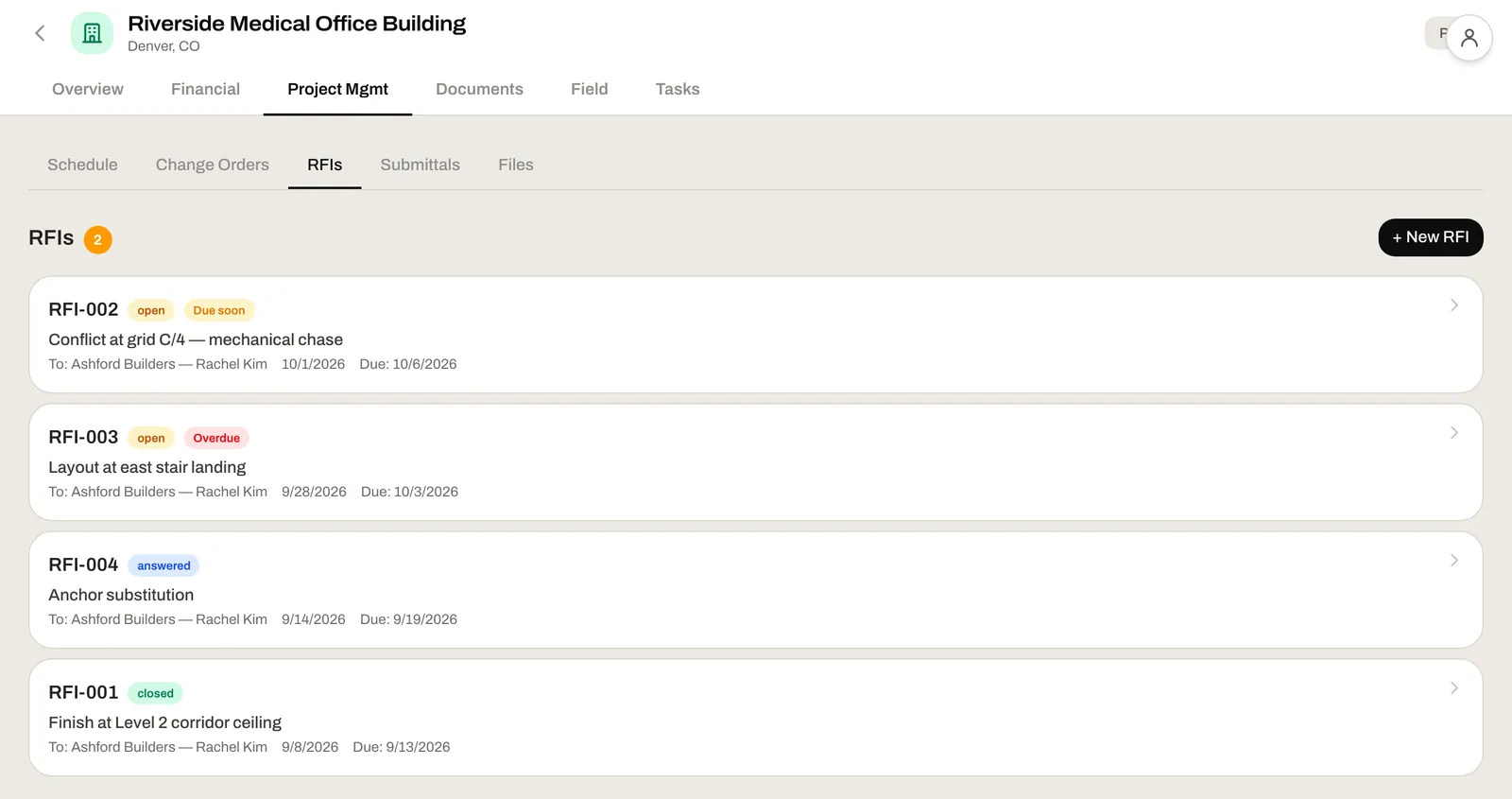
Numbered RFIs with a due date and an assignee, open, answered or closed. Send one by email as a PDF and keep the replies on the RFI.
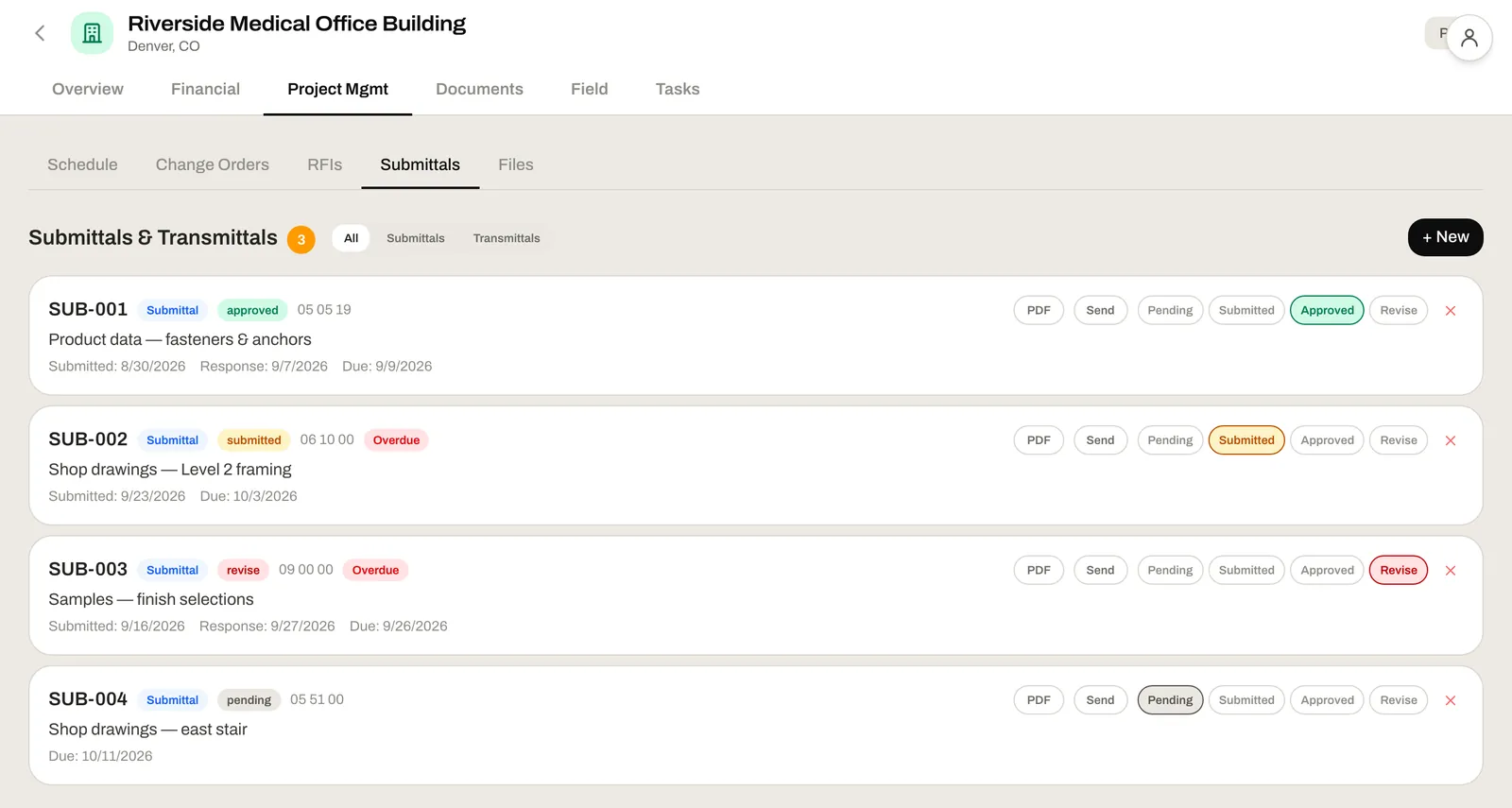
Submittals and transmittals by spec section, each with a due date and a status: pending, submitted, approved or revise.
A Gantt schedule for each phase, with linked tasks, the critical path and the variance from your baseline.
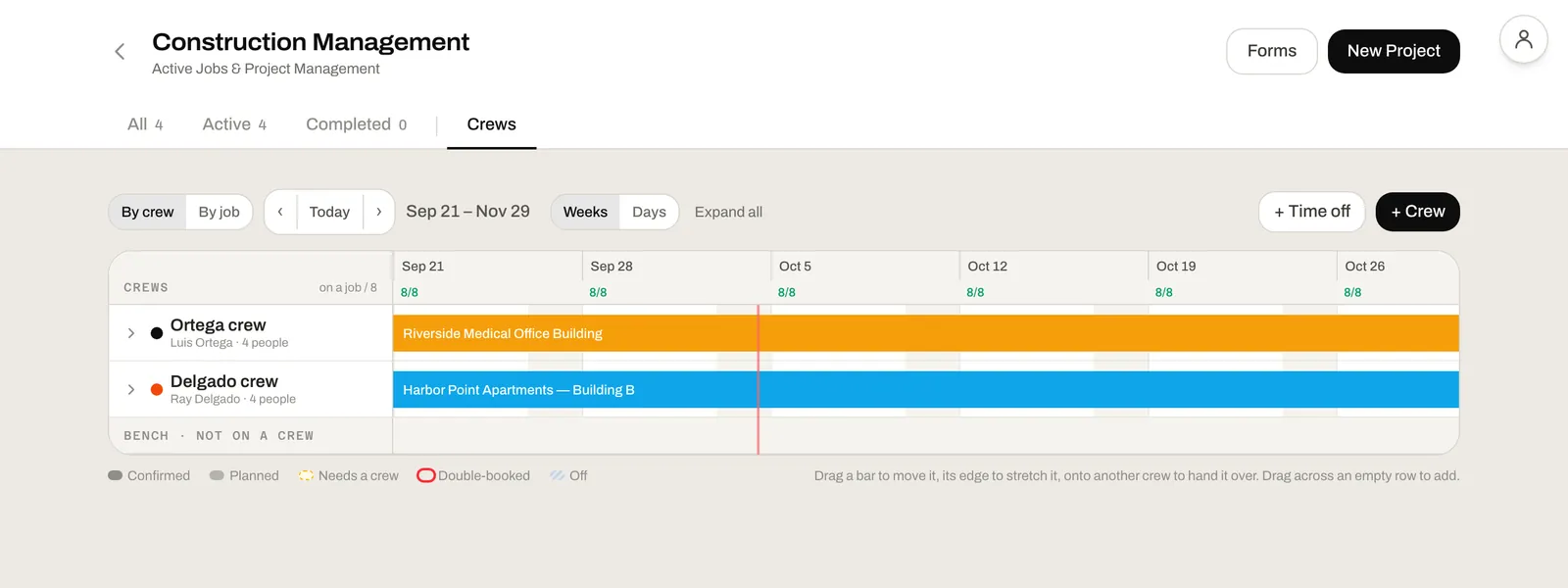
Put each crew on a job for a run of days and see the weeks ahead by crew or by job, with jobs that need a crew and double-bookings marked.
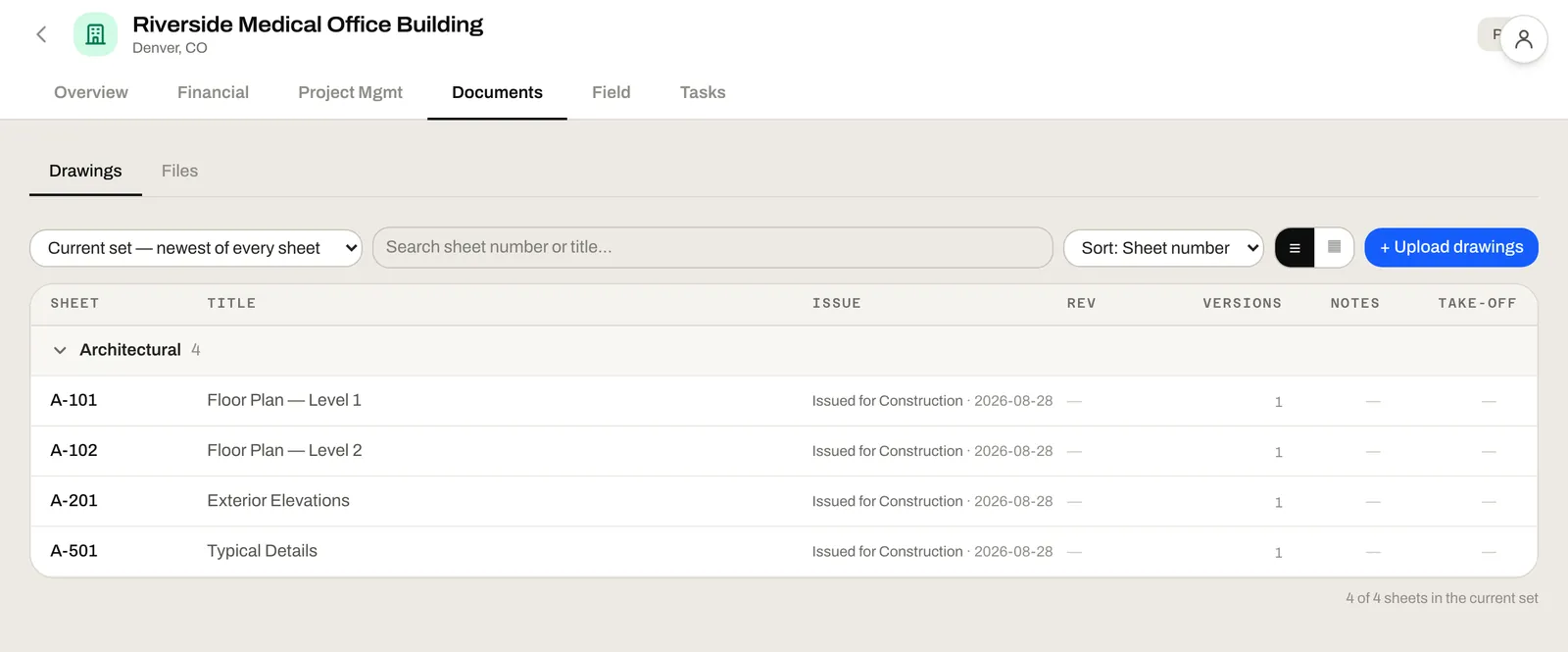
Each job keeps its drawings, its schedule and its files together, so everyone opens the same set.
The job's stakeholders and their people, its location, notes and attachments, a log of calls, emails and meetings, and its tasks.
Procore is built for the general contractor running the whole project.
Both charge a monthly price that grows with your team.
Procore, JobTread and Knowify details checked October 2026 from each company's own pricing page. See Procore, JobTread, Knowify and Buildertrend side by side with us.
Here's what each one asks of you before you can cost a job.
An annual fee for each product, based on your construction volume. No public list price
Built mainly for home builders and remodelers. Ask Buildertrend for a current price
$199 a month, plus $20 a month per internal user from 2 to 10
From $99 a month with one user. Job costing on Advanced, from $329 a month
The people who keep a job on budget, in any trade.
Your budget, your POs, your bills and your paperwork on one page for every job you run. Move money between lines without a spreadsheet and an email chain.
How every job is tracking against its budget today: what's committed, what's billed, what's paid and what's left.
Bills arrive linked to their PO and land on the job's budget line with its cost code. You approve and pay them from one list.
Project Management works by itself. Add any of the other modules when you want them, each free to use. You pay only when you use all four together: four months free, then $50 a month for your company.
Win a bid you estimated, and the estimate becomes the job's budget, line for line, so you start from what you bid instead of typing it in.
The drawings you measured and marked up stay with the job, so the office works from the same set.
Your crew clocks in on their phones at the job's geofence, and their hours are costed against the labor budget you set in New Project.
Yes. Project Management is free to use on its own, with no credit card and no trial. You get the whole module: job costing, purchase orders, supplier invoices, change orders, RFIs, submittals, schedules, crews and tasks. You only pay if you use all four of our modules together.
Nothing, as long as you use fewer than all four modules: Take-Off & Markup, CRM & Preconstruction, Project Management, and Field App & Time Clock. Each is free to use on its own, and any two or three are free together. With all four, it's four months free, then $50 a month for your company.
Yes. Invite your office from Team & Access and choose which tools each person gets. There is no charge per user.
Yes. Nothing in it is set up for one trade. Your budget lines, cost codes, suppliers and materials are your own, named the way you already name them.
Software for running a job once it's won: keeping its budget, buying against it, tracking what's been billed and paid, and handling the paperwork that comes with it, like change orders, RFIs and submittals. Construction project management software keeps all of that on the job, so the numbers and the paperwork stay together instead of in spreadsheets and email.
Click New Project. Give the job a name, a client and a job site address, then enter the contract: the original contract sum, the overhead and profit in it, retainage and the labor budget. Then add the budget lines you cost the job against. Type them in, drop in a spreadsheet saved as CSV, or paste a budget in any format into AI Assist. Every dollar of the contract has to go to overhead and profit, labor or a line.
Yes. New Project asks where things stand as of a cutover date. Enter what's been spent so far on each budget line and on labor, and Job Costing starts from where the job really is.
On the budget line, set once in Job Costing. Each purchase order line picks the budget line it's charged to and takes its cost code, and the bills from that PO take it too.
Write a change order request line by line and pick the budget line each line adds to. When it's approved, its lines add to those budget lines, or to a new line if they don't name one.
Yes. Add a budget line from Job Costing, or use Reallocate to move money from one line to another. A reallocation is a request, applied once someone who reviews approvals approves it, and each one stays on the job's record.
Each job has a labor budget, set in New Project, and Job Costing shows it beside the budget lines. Actual hours and labor cost come from the time clock, so add the free Field App & Time Clock and your crew's hours are costed against that budget as they clock in.
Yes. RFIs are numbered, with a due date, who they're assigned to and a status of open, answered or closed. Send one by email as a PDF and keep the replies on it. Submittals are filed by spec section with a due date and a status of pending, submitted, approved or revise.
Not today. Job costing runs on the budgets, purchase orders and supplier invoices you keep here, so you can keep your books where they are and still see where every job stands.
Start by checking that it's free to use and not a trial, and that job costing is included rather than held back for a paid plan. Then look at whether purchase orders and bills land on your budget lines by themselves, and whether you can bring in a job that's already running. Leviathan Built does all of that with no card and no trial.
Procore is built for general contractors and is priced by quote, with an annual fee for each product based on your construction volume. Leviathan Built's Project Management is free to use on its own, and you can set up your first job today.
JobTread is $199 a month plus $20 a month for each internal user from 2 to 10. Knowify starts at $99 a month with one user, with job costing on its Advanced plan from $329 a month. Project Management here is free to use, job costing included, with no charge per user.
Create a workspace, then add your first job with New Project.
Create your free workspace