One Platform to Run Your Entire Subcontracting Operation

Create your workspace in two minutes. A 4-month free trial, then $50/month. Cancel anytime.

In the competitive world of construction, the difference between the winners and the losers are the tools they bring to the table.

Here are ours: a field app, take-off, job costing, CRM, estimating and project management, all working on the same job from the first measurement to the last invoice.
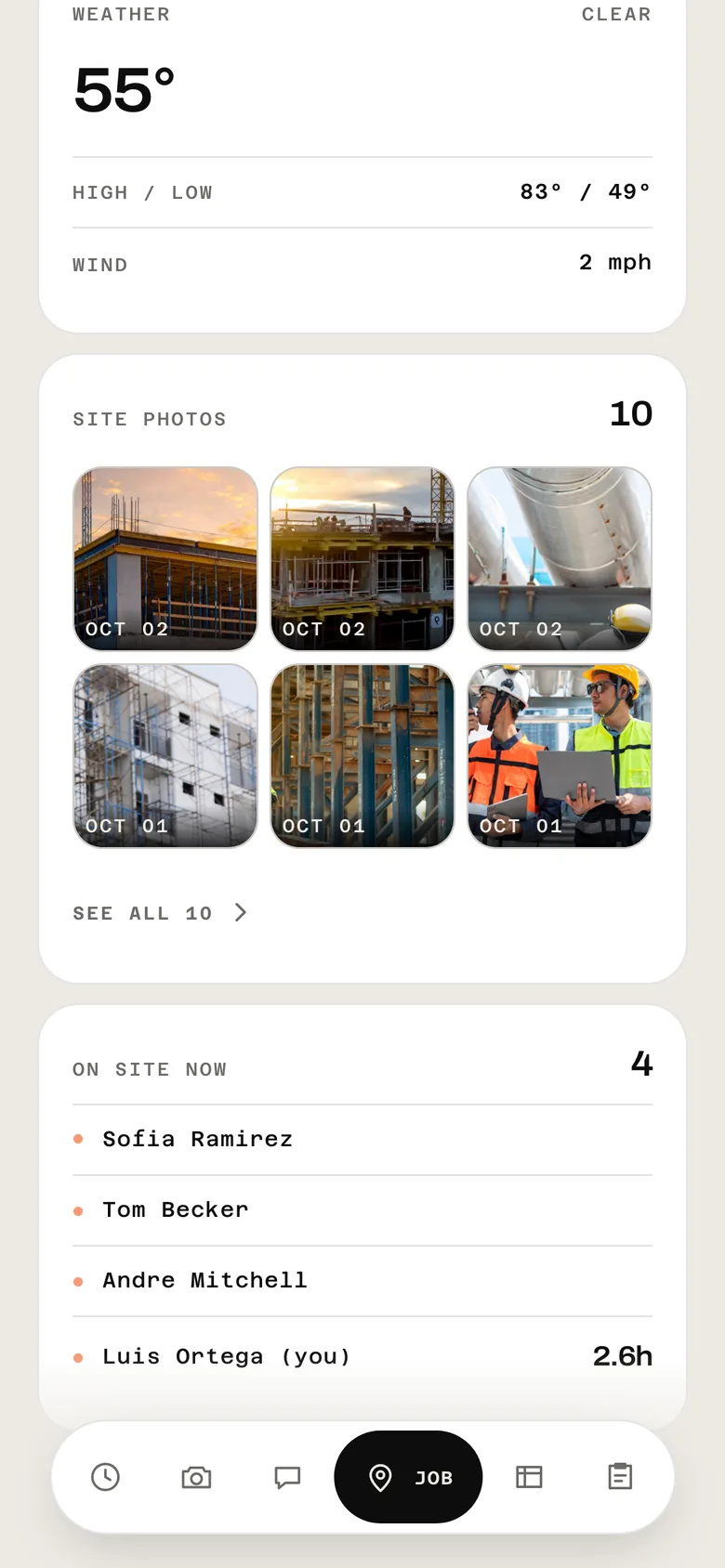
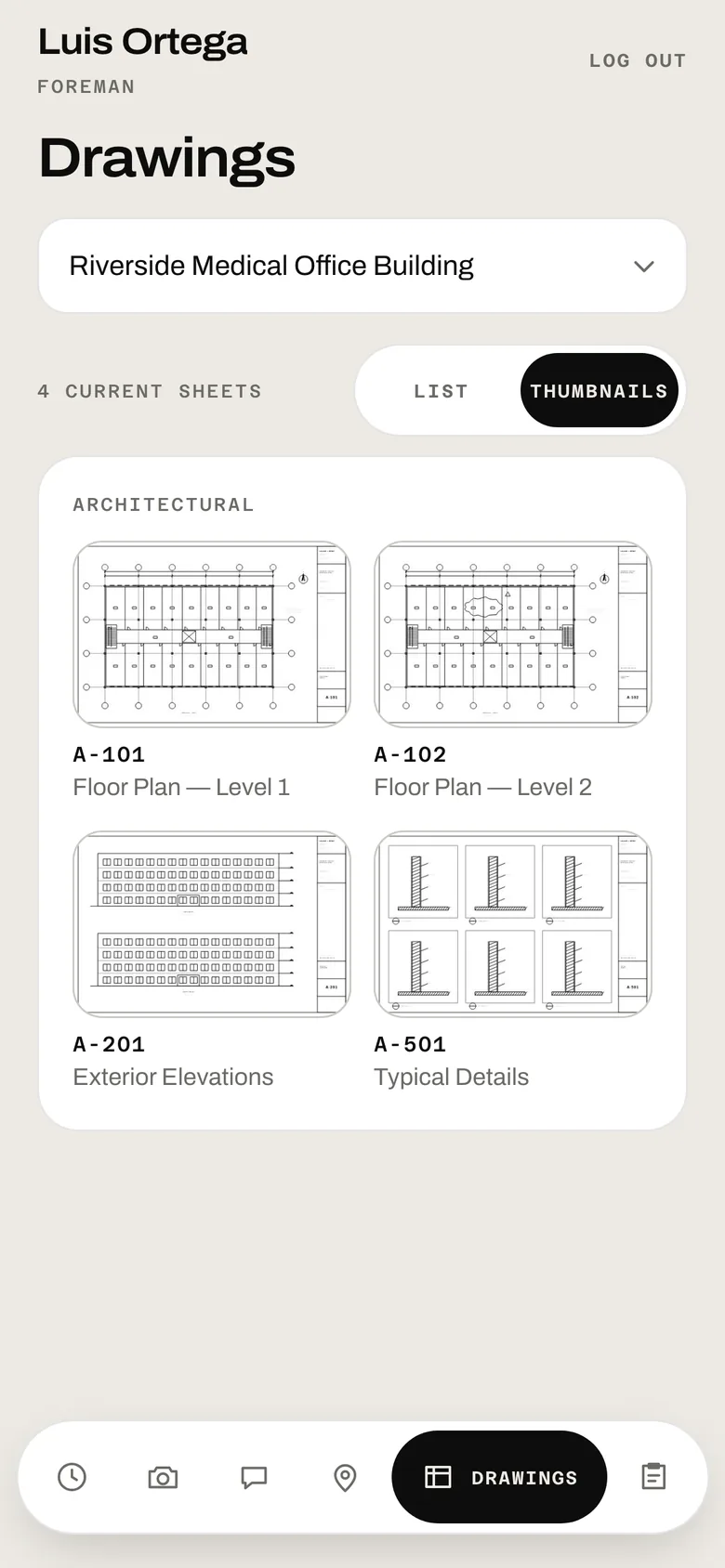
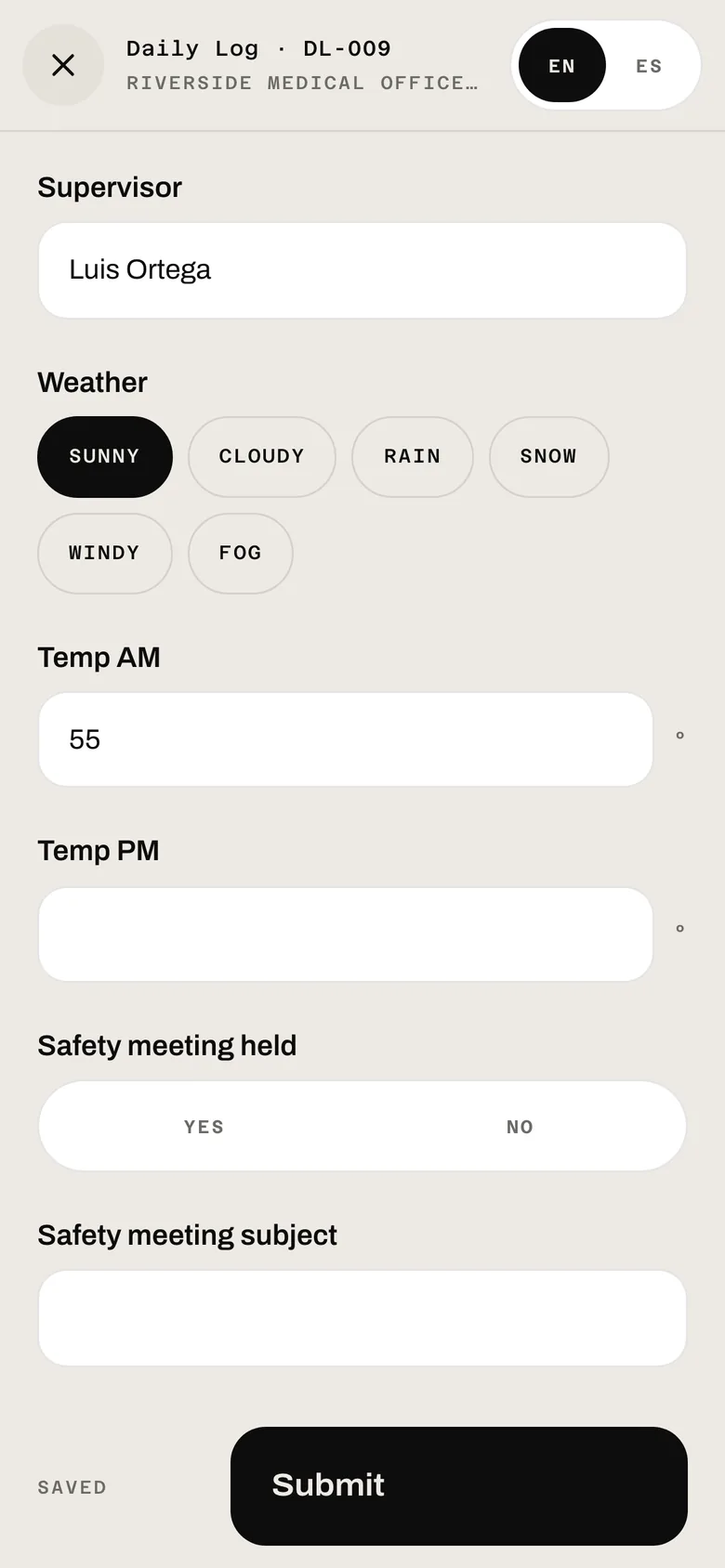
The field app's job screen The current drawings for the job, on a phone A daily form being filled in on site

The job, the current drawings and the day’s forms on the crew’s phone.

See Field App below ↓
Every hour, photo and daily log — straight from the field.

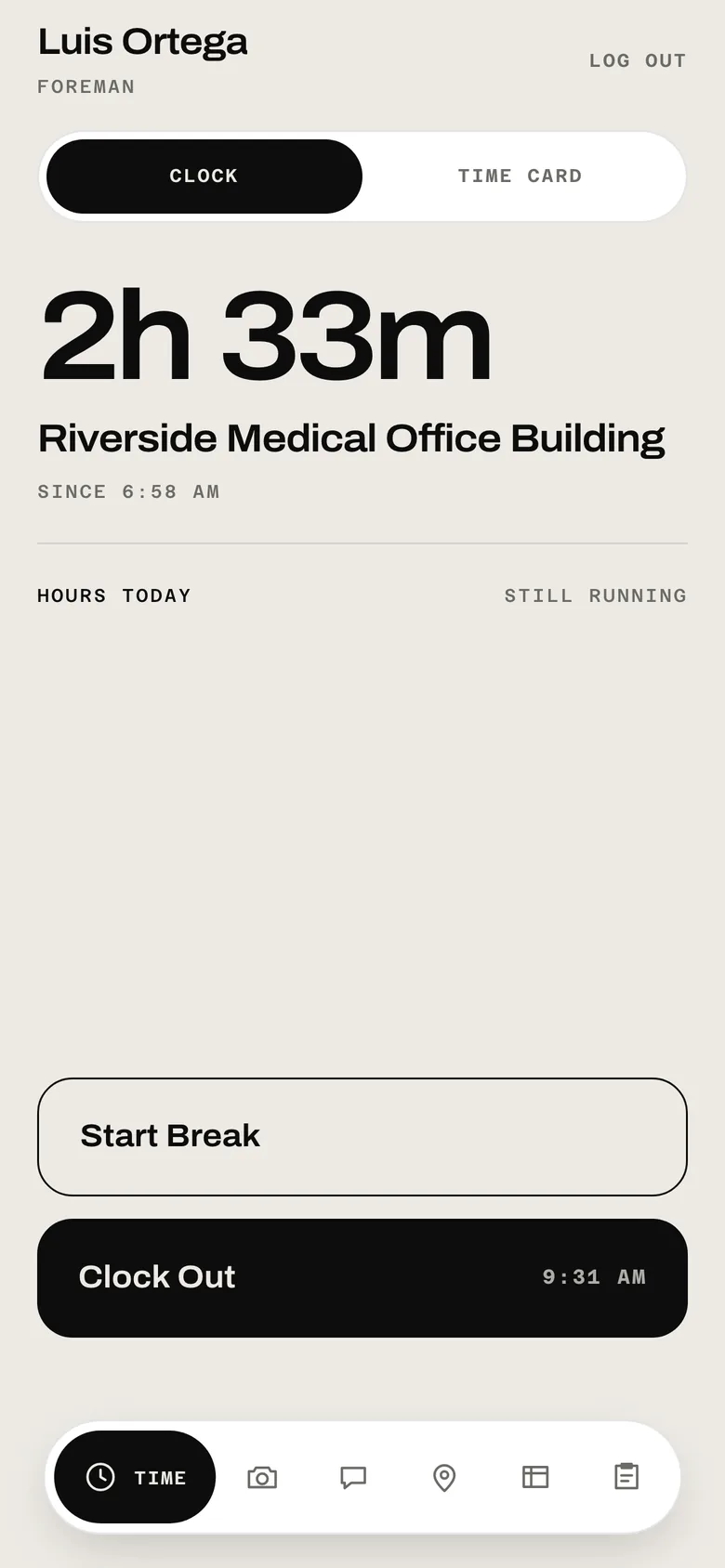
Your crew clocks in at the gate, takes the photo, checks the current drawing and writes the daily log on site. All of it lands on the job in the office, sorted, dated and signed. Nobody re-types a timesheet on Monday.

  • Clock in with a PIN or Face ID, location on every punch
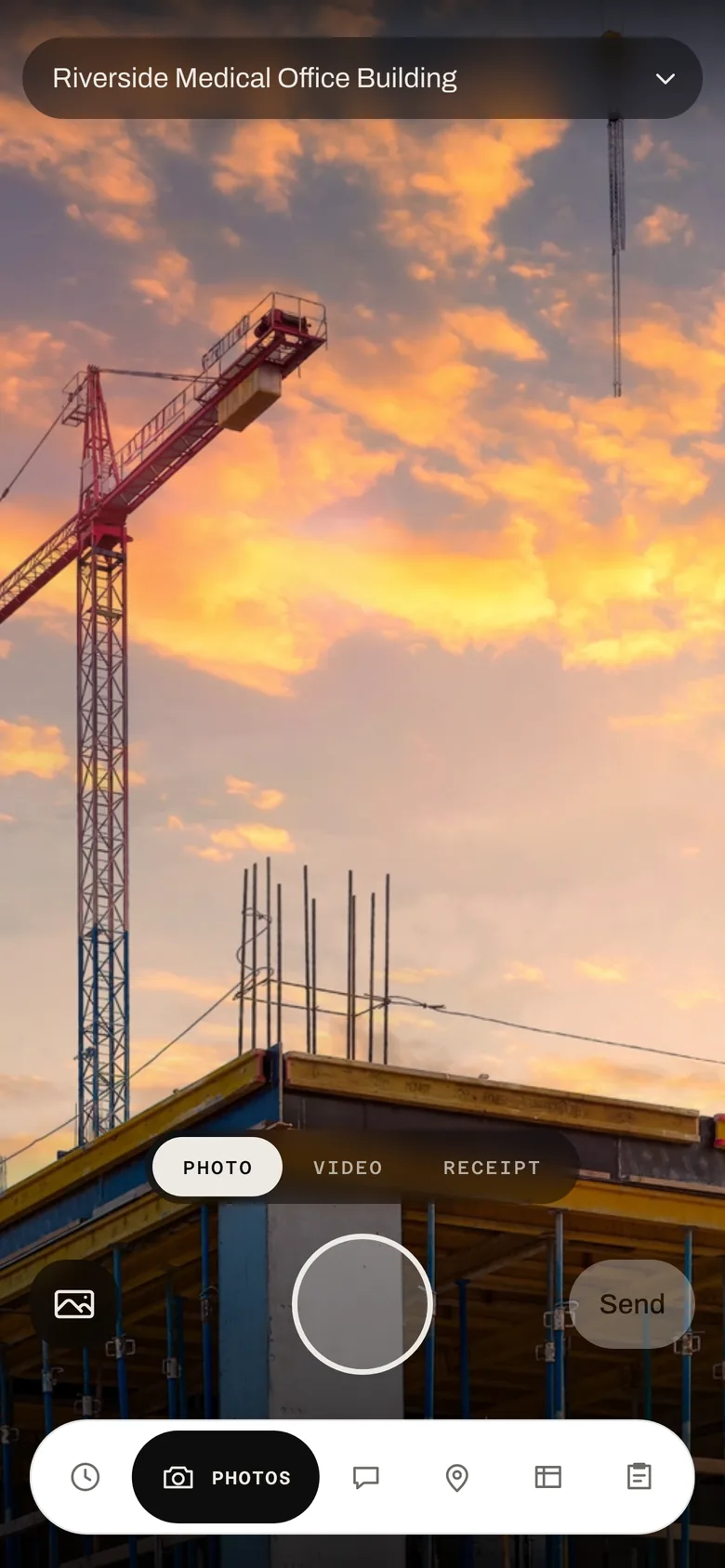
  • Photos and video that file themselves to the job
  • Daily logs filled in on site, in English or Spanish
Download the field app
The field app's time clock, on the clock at a medical office building since 6:58 AM The field app's camera tab pointed at a building under construction

Measure the plans once. The quantities add themselves up.

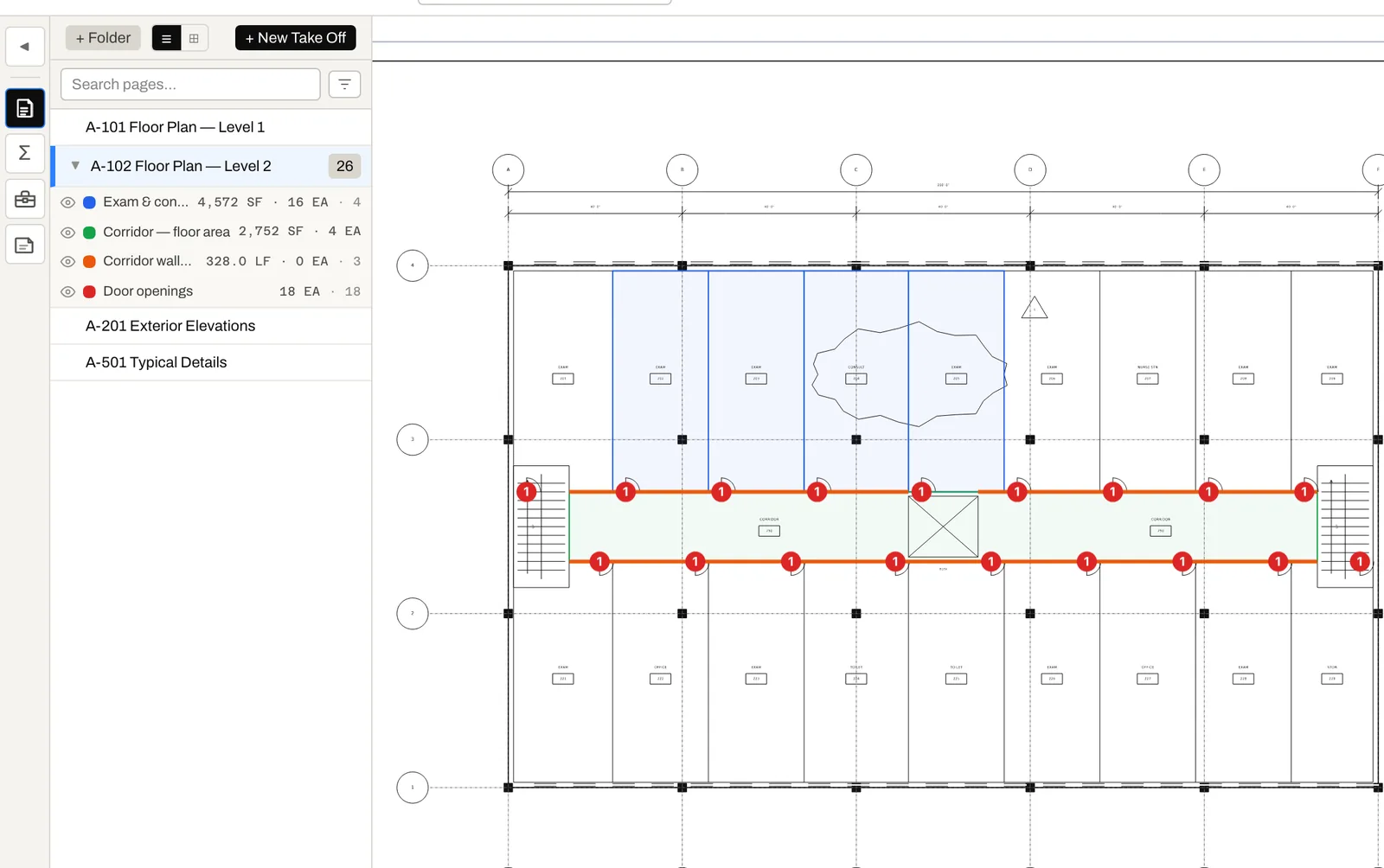
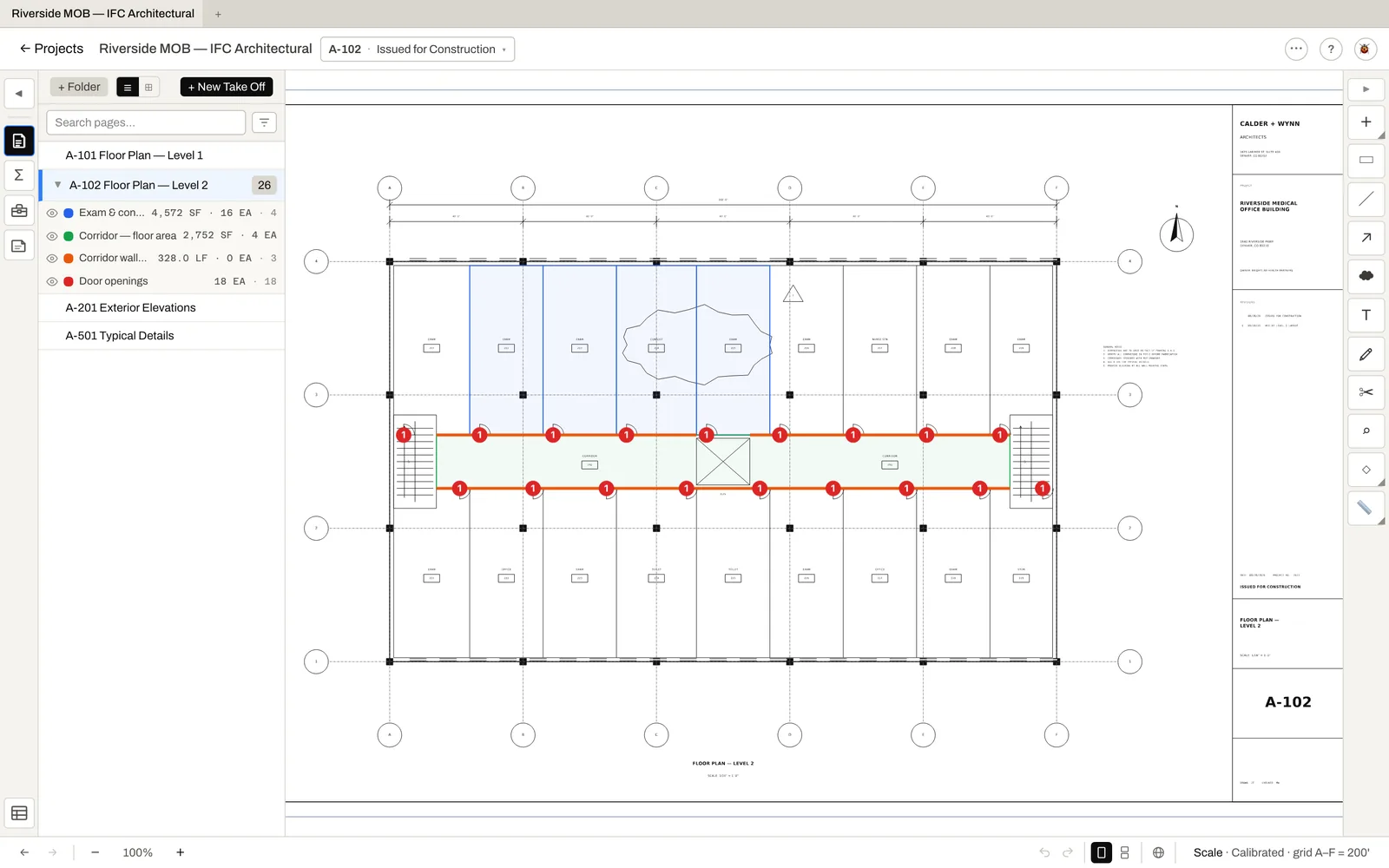
Open the PDF and draw your areas, runs and counts. Square feet, linear feet and each are totalled by item and by sheet as you draw, and they go straight into the estimate — nobody re-types a quantity into a spreadsheet.

  • Areas, lengths and counts, totalled as you draw
  • Calibrated once per sheet from a known dimension
  • Linked measurements update the estimate when they change
A floor plan in the take-off editor with room areas, corridor walls and door counts measured, and their totals listed by item

Know where every job stands — while there's still time to fix it.

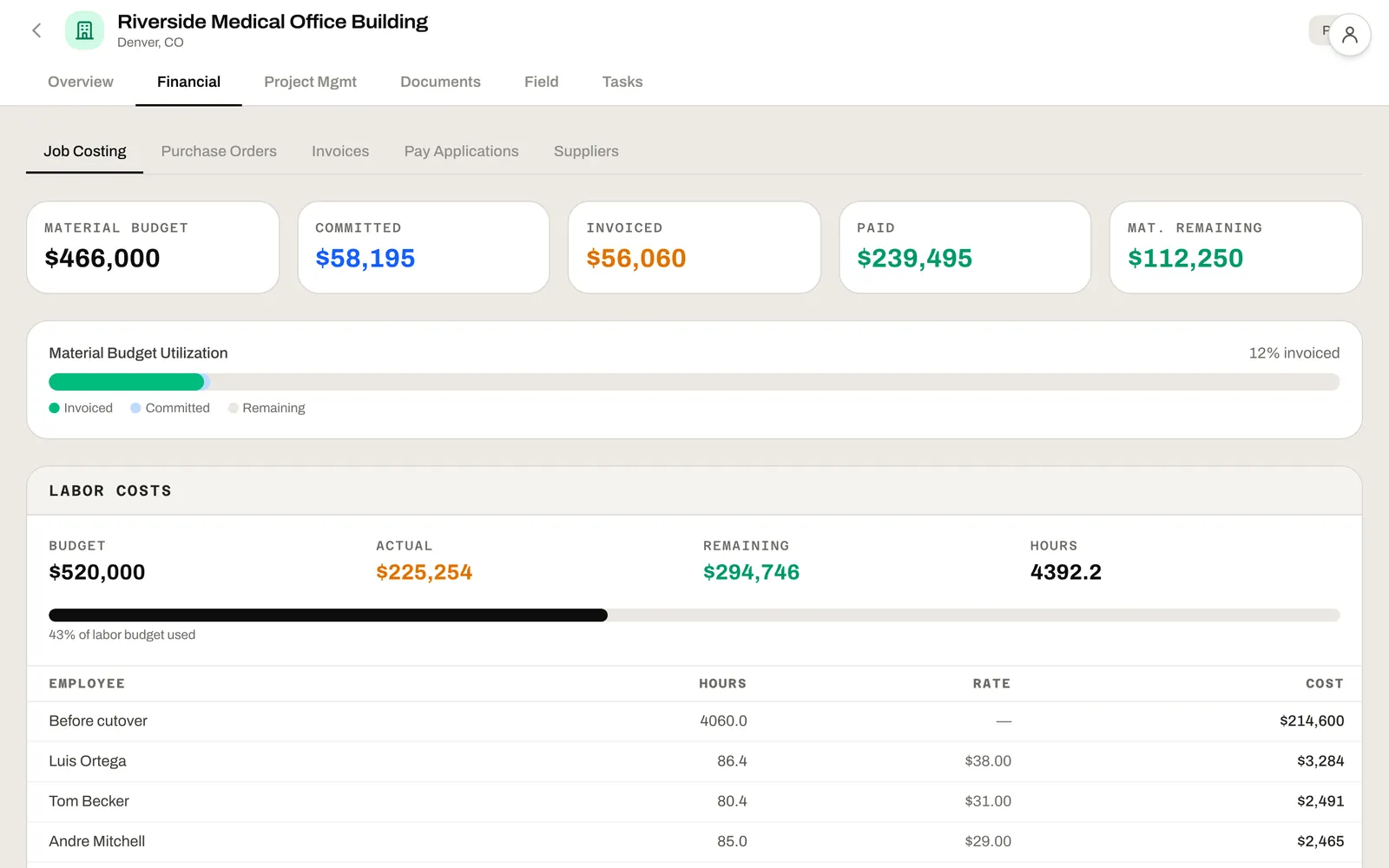
Every PO, every vendor bill and every hour from the field lands on the job's budget the day it happens. If a line starts running over, you see it that week — not at closeout.

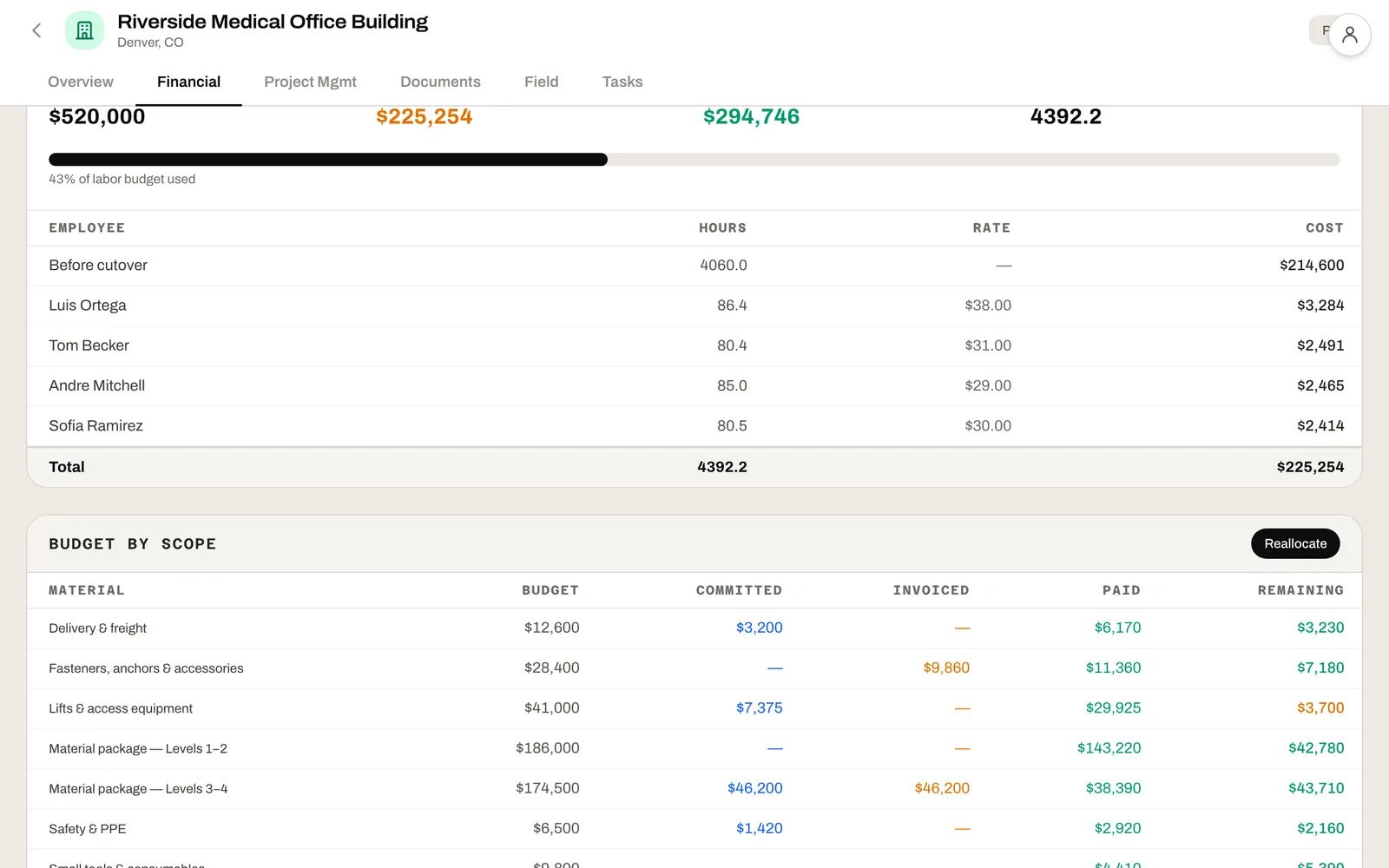
  • Budget, committed, invoiced and paid for every line on the job
  • Labor cost tracked straight from the crew's punch-in, as the crew works
  • Reallocate a project's budget between line items with an approval, not a spreadsheet
Explore Job Costing →
Job costing for a medical office building: material budget, committed, invoiced, paid and remaining, with labor budget against actual hours

Chase the bids worth winning.

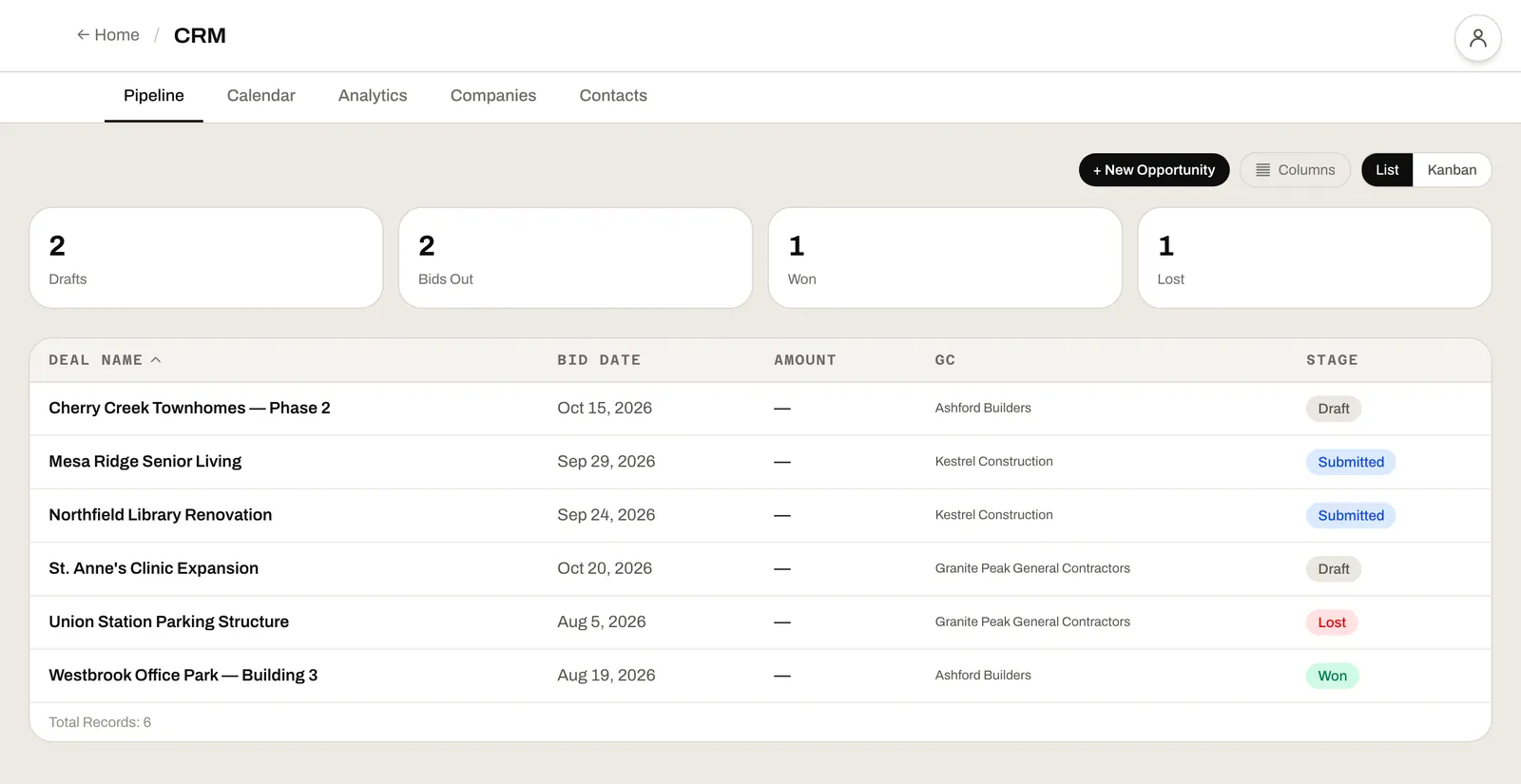
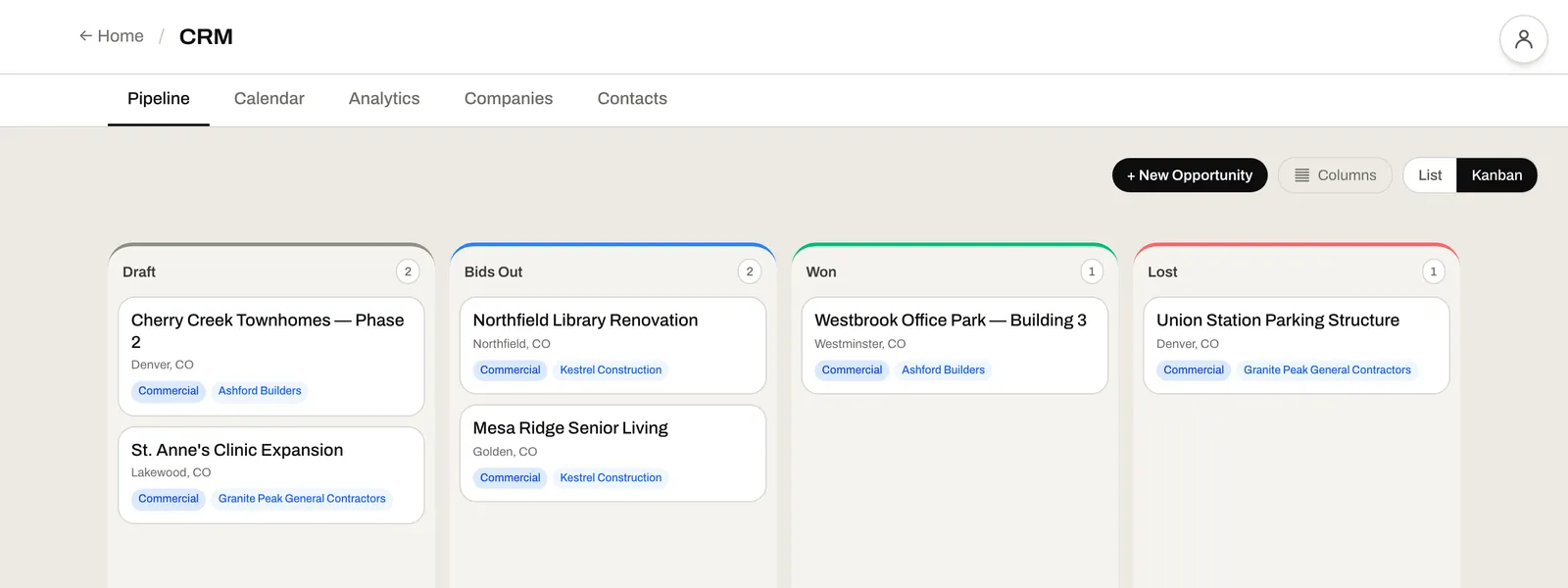
Every bid from invite to award on one board, with the GC on every card. See what's due this week, what's out waiting on an answer, and your record with each GC — before you spend a week on a takeoff for a job you were never going to get.

  • Draft, bids out, won and lost — one board
  • Your history with every GC on the company
  • Go/no-go scoring before the estimate starts
Explore CRM →
A bid pipeline board with columns for draft, bids out, won and lost, each card showing the job and its general contractor

Price every bid the way you already price it.

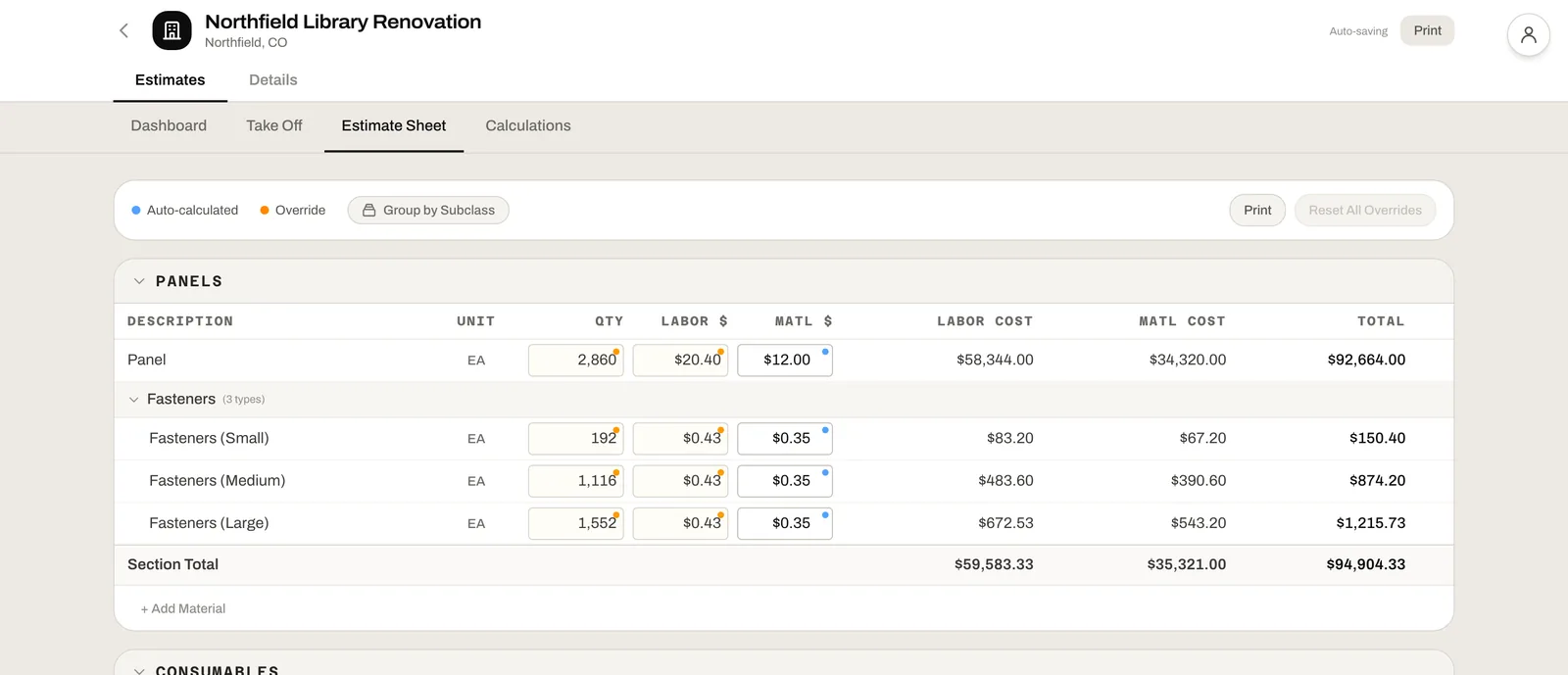
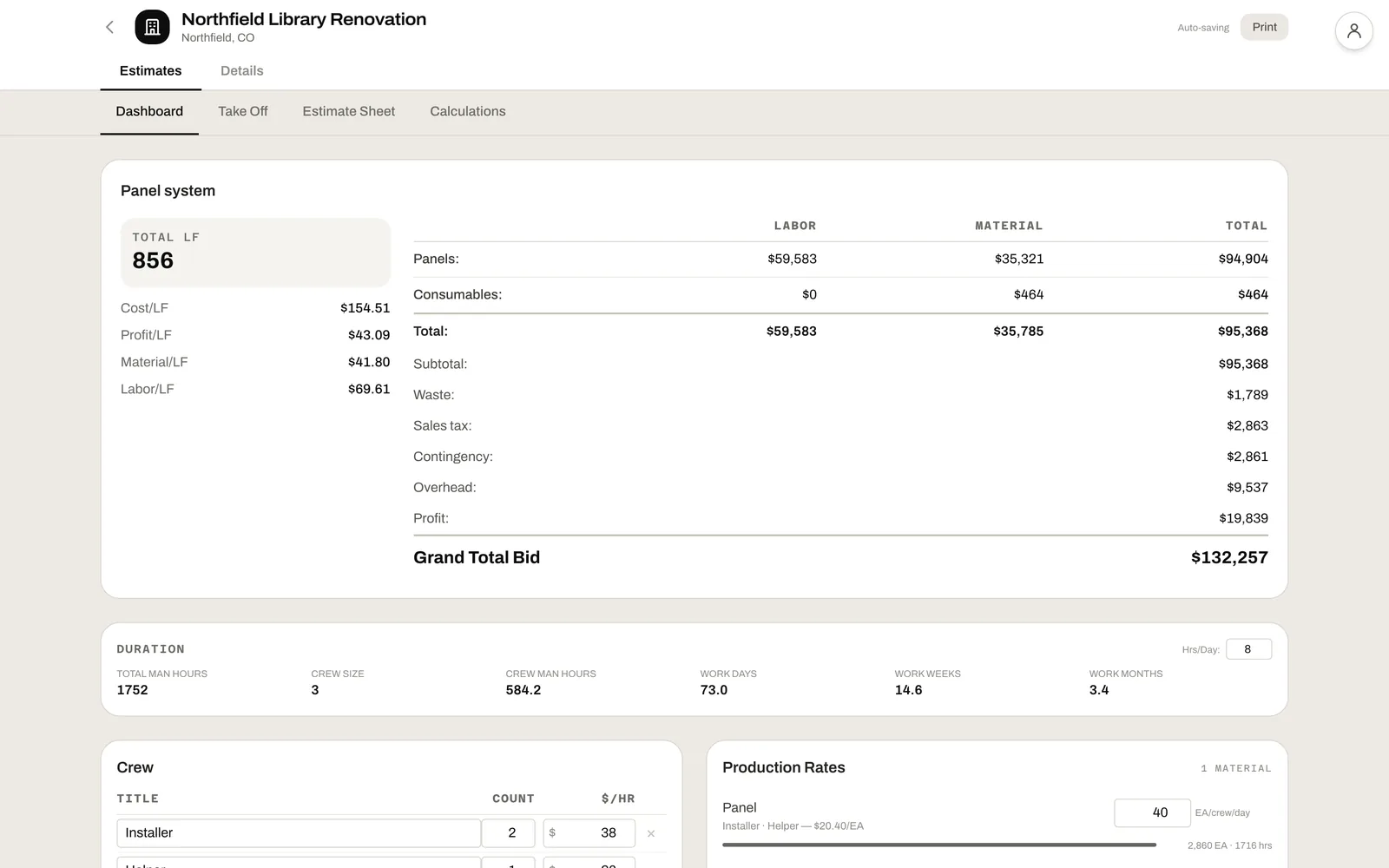
Your scopes, your materials, your formulas. Quantities come from the take-off, fasteners and waste work themselves out, and markups stack up in the order you set — so you see cost and profit per unit before the number goes out.

  • Worked-out and overridden numbers, marked on every line
  • Markups in your order, on the basis you choose
  • Duration from the same numbers as the price
Explore Estimating →
An estimate dashboard: labor and material by section, waste, tax, contingency, overhead and profit to a grand total bid, with cost and profit per linear foot

RFIs, submittals and change orders that don't slip.

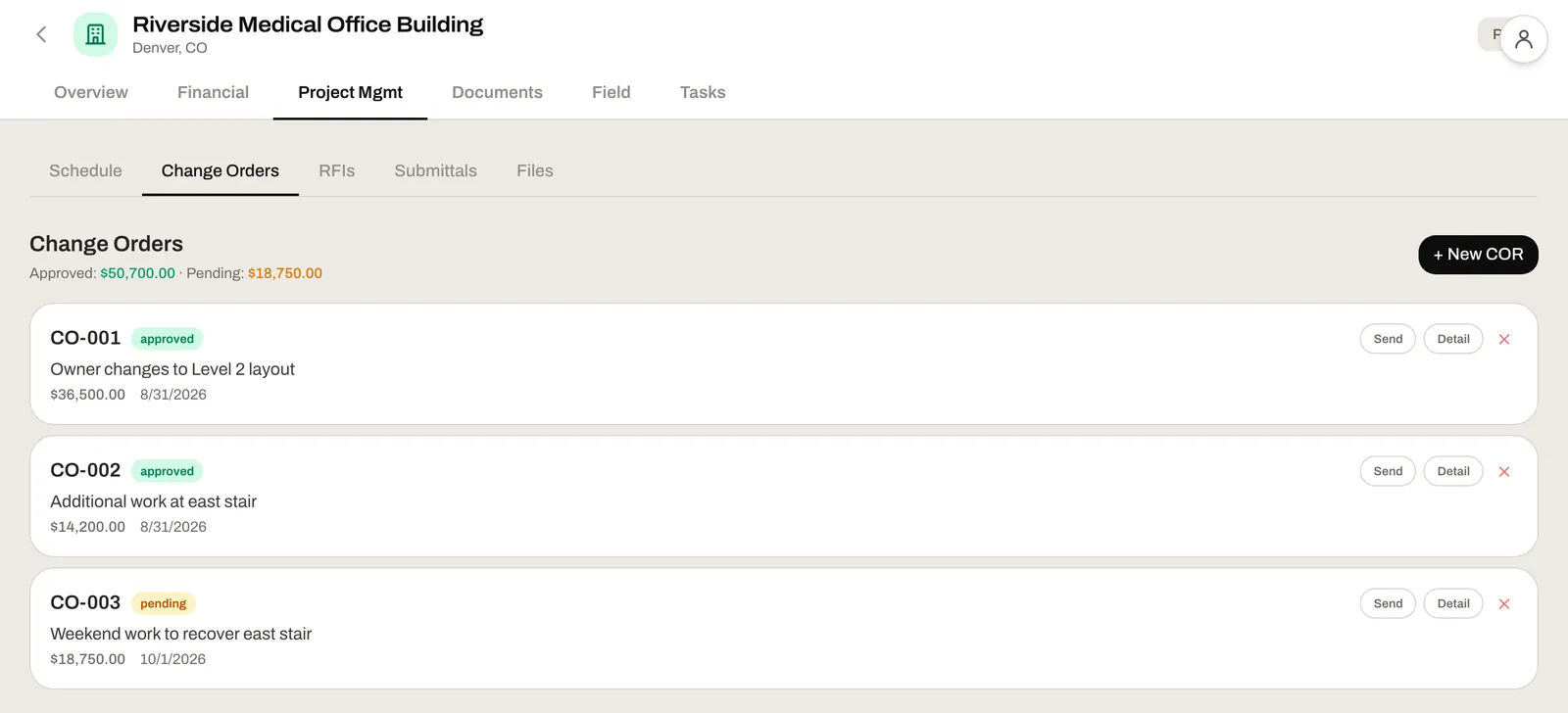
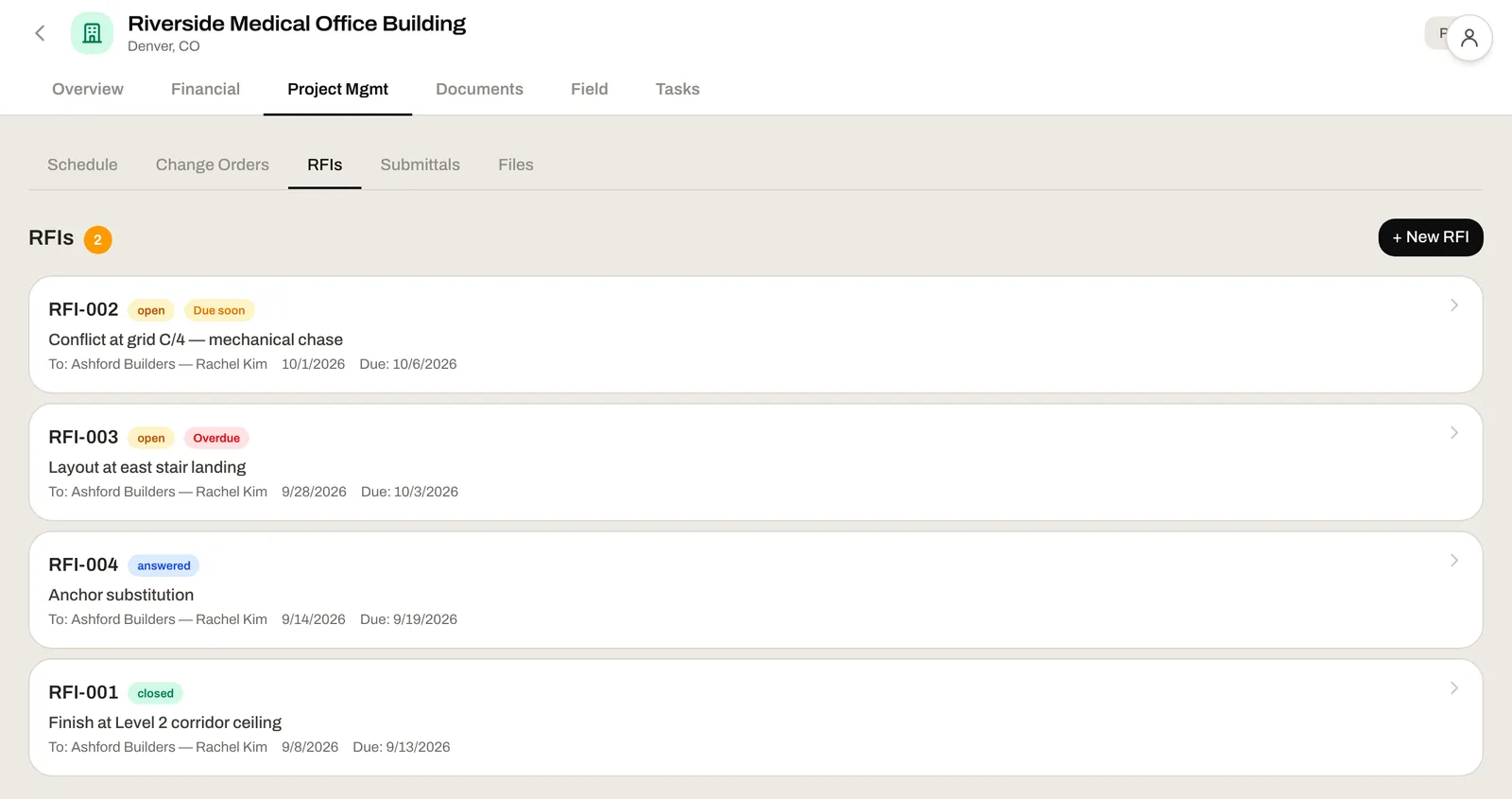
Every open question has a number, an owner and a due date — and the overdue ones say so. Submittals carry their own status, and change orders keep approved money and pending money apart, so nothing you're owed gets lost in an email thread.

  • Overdue RFIs and submittals flagged, not forgotten
  • Change orders: approved and pending at a glance
  • The field's photos and messages one tab away from the RFI they started
Explore Construction Mgmt →
A job's RFIs, each with a status, a due date and who it was sent to, with overdue ones flagged

The construction industry is bleeding.
Most firms just can't see where.

The firms that get ahead are the ones who fix the system instead of hiring around it. They don't hire more bodies — they make every person on their payroll more dangerous and higher leverage.

0
PMs Spend on Non-Value Work
Autodesk/FMI 2021
0
of Subs Still Estimate in Spreadsheets
JBKnowledge 2021
0
of Projects Exceed Their Budget
KPMG / Oxford
0
of Construction Firms Fail Before Year 10
Census Bureau

One price. Every tool.

Four months free, then $50 a month for your company.

Beta offer
4 months free
then $50 / month
Start your free trial

Cancel anytime.

Everything is included
  • Field app — clock-in, photos, current drawings, daily logs
  • Take-off — areas, lengths and counts from the PDF
  • Estimating — your scopes and formulas, priced from the take-off
  • Job costing — budget, committed, invoiced and paid per line
  • CRM — every bid from invite to award
  • Project management — change orders, RFIs and submittals
  1. TodaySet up your workspace in two minutes.
  2. Months 1–4Free. Every tool, on real jobs.
  3. After that$50/month, first charged the day the trial ends. Month to month.

The Cheapest Employee You've Ever Hired

If you had one person who could estimate every job, track every hour, reconcile every invoice, manage every RFI, and give you a real-time P&L across all your projects — what would you pay them?

$50 a month.

That's what all of this costs, after four months free. Not expensive software — the cheapest employee you'll ever hire.

Start your free trial

Common Questions

Straight answers for busy contractors.

Not at all. If they can use a smartphone, they can use Leviathan Built. The field interface is designed for gloved hands and quick interactions — clock in, snap a photo, done. Most crews are comfortable within the first day.

Yes. Clients and suppliers come in from a CSV or spreadsheet export, and you build your estimate templates from your own scopes, materials and formulas.

It's built to be light on a jobsite cellular connection. Clocking in takes a bar of signal; a daily log keeps everything typed on the phone and saves the moment the signal comes back.

The estimating engine is config-driven — it works for any specialty trade. You set up your templates with your materials, your formulas, and your unit costs. If you can estimate it in a spreadsheet, you can set it up in Leviathan Built.

No contract. You get four months free, then it's $50/month, month to month. Cancel anytime — cancel before the trial ends and you're never charged.

Creating your workspace takes two minutes. From there you bring in your clients and suppliers, set up your estimate templates and invite your crew, at your own pace, with four months free to do it. Questions along the way go to hello@leviathanbuilt.com.

Ready to Get Started?

Three steps between you and a system that actually works.

1

Create Your Workspace

Two minutes at leviathanbuilt.com/try. Four months free, then $50/month. Cancel anytime.

2

Set It Up Your Way

Bring in your clients and suppliers from a spreadsheet, build your estimate templates from your own scopes and formulas, and invite your crew.

3

Go Live

Your crew clocks in on the field app and your office bids, buys and bills from the same jobs. Rather talk it through first? Book a consultation below.

Book a Consultation

Tell us about your company and we'll schedule a one-on-one conversation to see if Leviathan Built is the right fit. No sales pitch — just a real conversation between people who understand construction.

hello@leviathanbuilt.com