Every PO and vendor bill lands on the budget line it belongs to, and every hour on the clock lands on the job. You see a line running hot while there's still time to fix it — not after the job closes.
Bills sit in a pile until someone codes them. Hours live in a timesheet app. The budget is a spreadsheet nobody has opened since the bid. By the time the numbers meet, the money is spent and the crew has moved on.
Here they're one set of numbers. The budget comes from the bid, POs commit against it, bills land on it and the time clock costs the labor — so job costing isn't a report someone builds. It's what the job looks like right now.
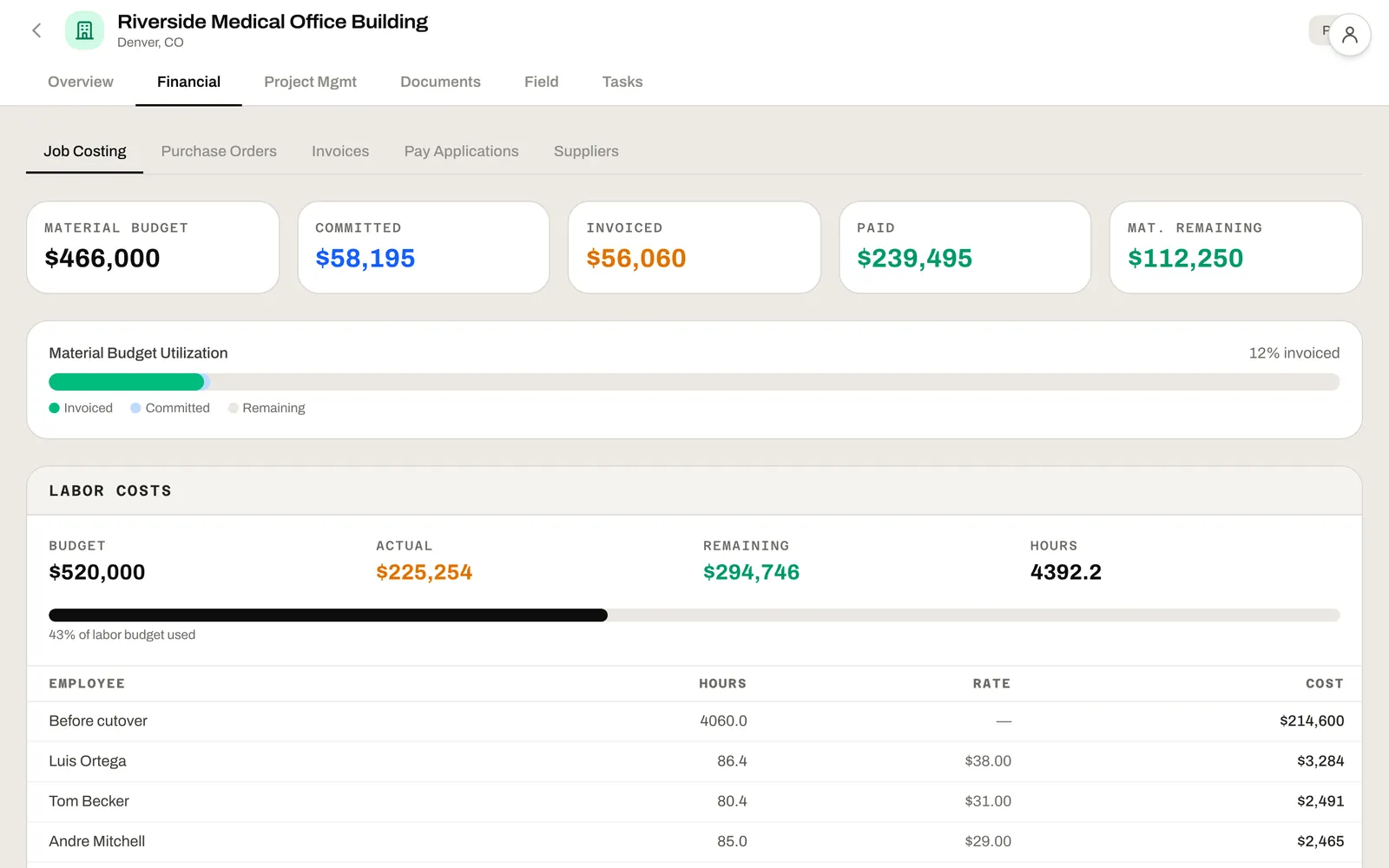
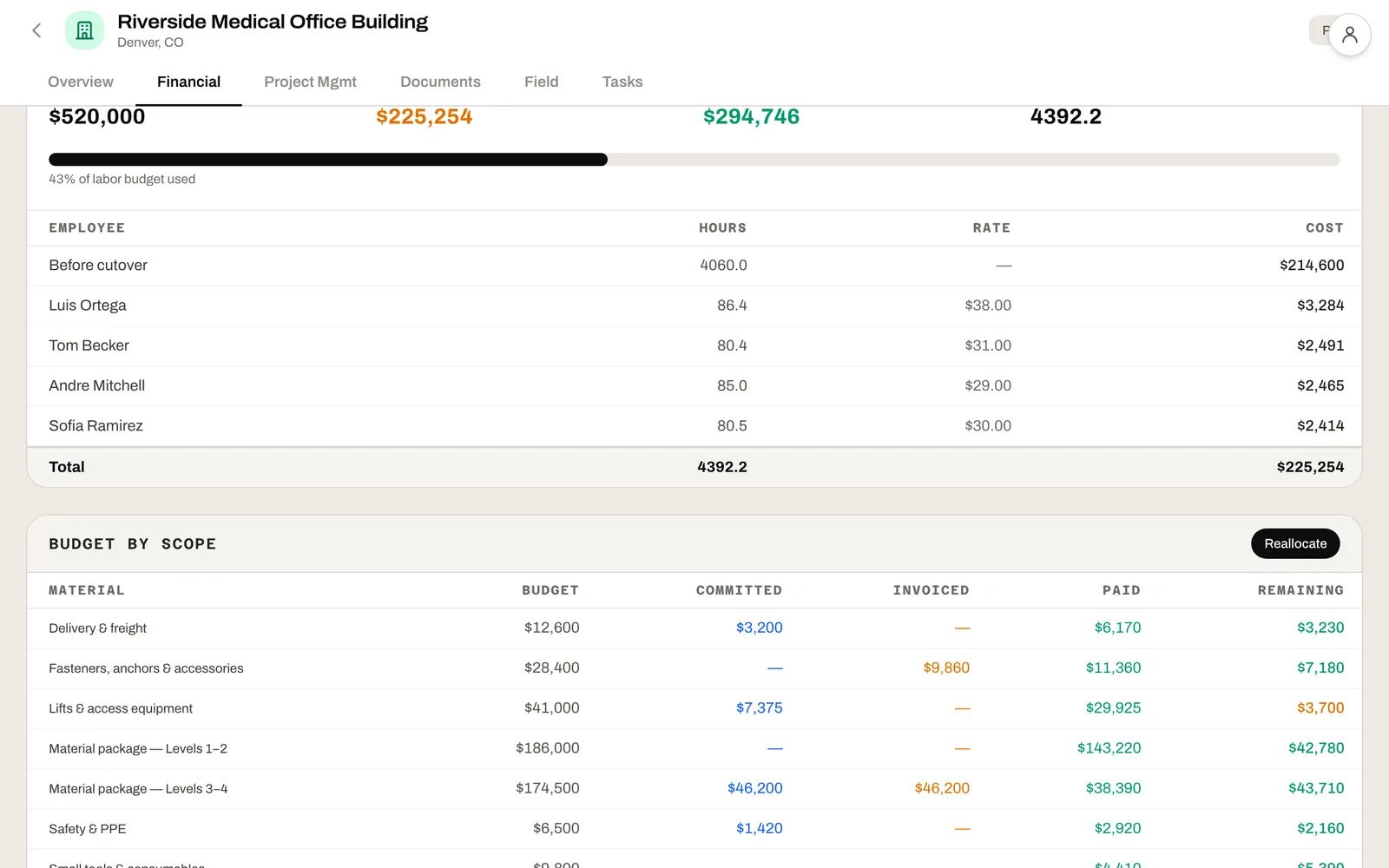
Budget, committed, invoiced, paid and remaining for every material and cost line — with spending from before you switched carried in, so remaining is real from day one.

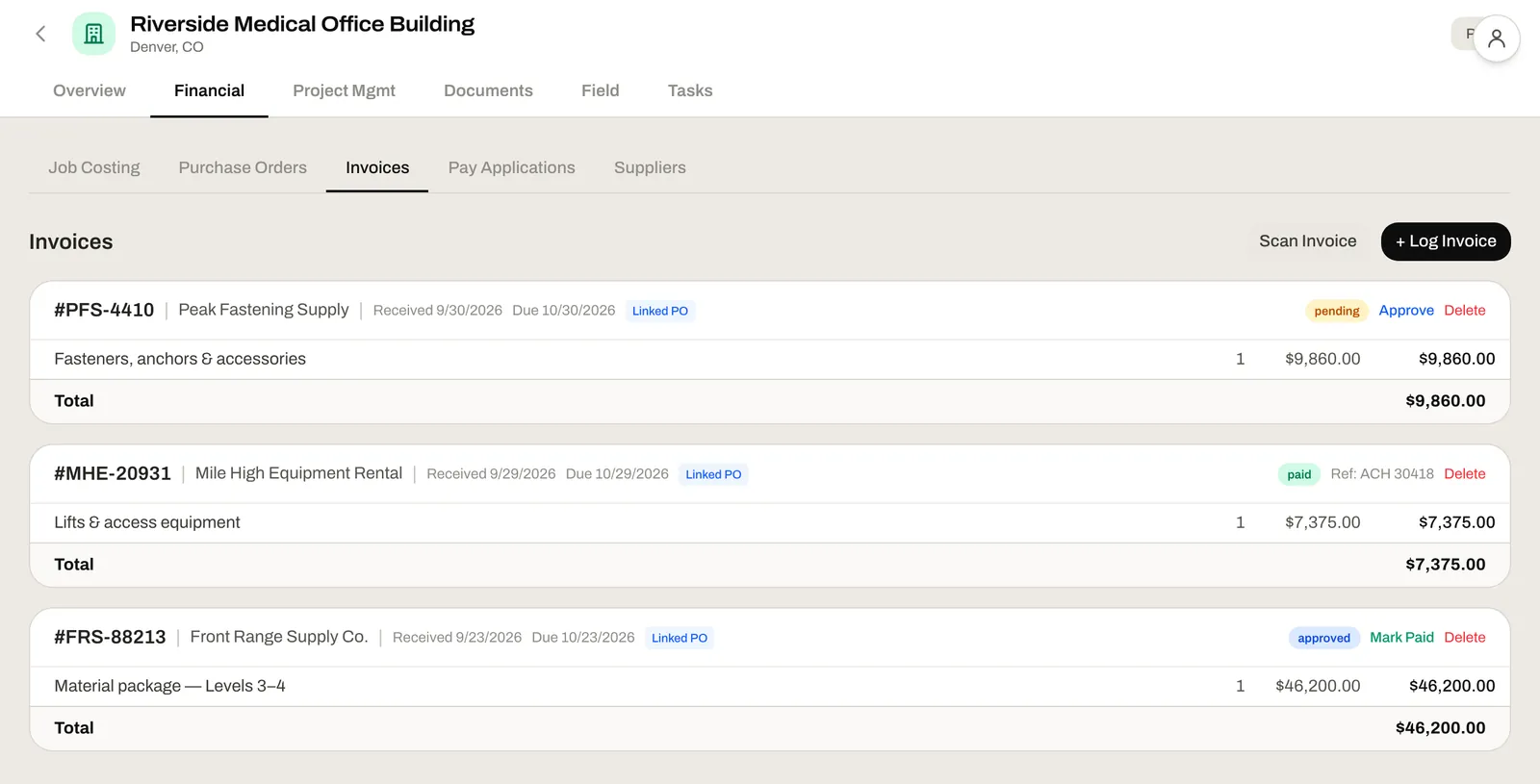
Every vendor bill is checked against the PO it came from, line by line, and lands on the job's budget the moment it's entered. Approve and pay from the same list — and know exactly what's left to come on every PO.

Nobody re-tags anything at month-end. The PO, the bill and the punch already know which job they belong to.
Issue a PO and the money shows as committed against the job's budget before the bill arrives. You see what's spoken for, not just what's been paid.
Scan a vendor bill and its lines are read, matched to the PO it came from and put on the job's budget. Your office reviews the exceptions instead of typing line items.
Approved hours land on the job they were worked on, beside the labor budget. Payroll runs export for Gusto, ADP or your provider — no timesheets to key.
Approve a change order and its money is added to the job's budget, so remaining reflects the contract you're actually building.
When one line runs hot and another runs cool, move the money with a request and an approval. Every change stays on record — no quiet edits to the budget.
Bringing in a job that's already running? Enter what's been spent so far, and remaining isn't overstated by everything that happened before you switched.
Estimating set the budget. Construction Mgmt grew it with change orders. The field app fed labor cost. Job costing is where it all meets the actual: what's committed, what's billed, what's paid and what's left. Every day, not month-end.
Bid line items become budget targets. Every actual cost lands against an estimate line so variance analysis is automatic.
Approved hours become labor cost on the job they were worked on. Payroll runs export the gross wages.
Approved change orders add to the budget, so remaining tracks the contract as it changes.
Your budget, your POs and your crew's hours on one screen, for every job you run. Move money between lines without a spreadsheet and an email chain.
How every job is tracking against its budget, today — not what the bid said, and not what the bookkeeper reports next month.
Bills arrive matched to their PO and entered against the job. You review the exceptions instead of chasing PMs for job numbers.
No. Job costing runs on the work itself — budgets, POs, vendor bills and hours — so you can keep your books where they are and still see where every job stands.
From your estimate when you win the bid in Leviathan Built, or from your own numbers when you bring in a job that's already running. Either way it's one line per material or cost item, each with an optional cost code.
Yes. Vendor bills are read and matched to their PO. Approval still happens with a person in the loop — scanning speeds up the data entry, not the decision.
From the field app's time clock. Approved hours land on the job they were worked on, next to the job's labor budget. Nobody re-keys a timesheet.
Start a free trial and try it on a live job, or book a 30-minute consultation and we'll walk through how a real job of yours would look — budget, POs, bills and hours — using your actual numbers.