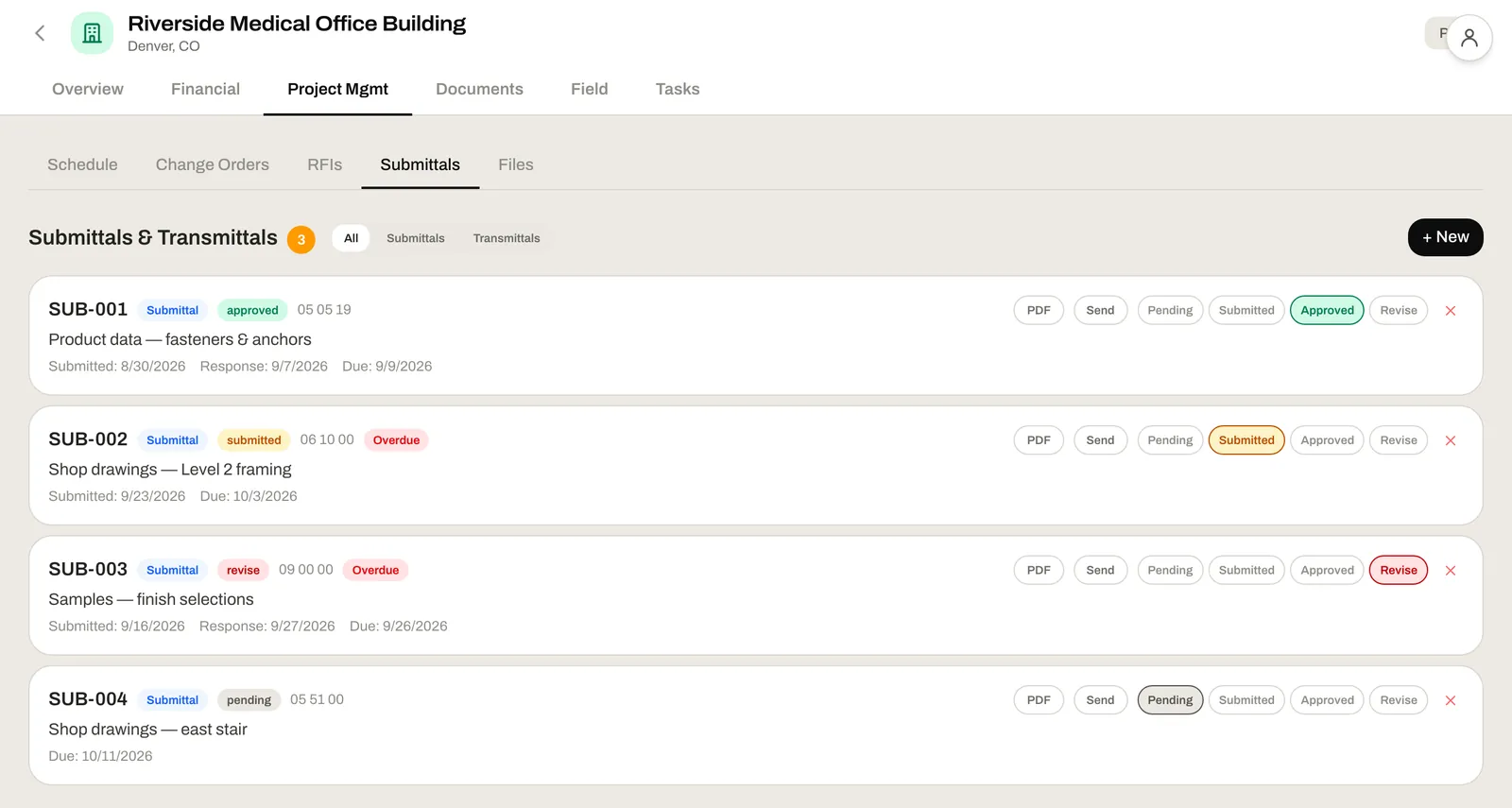
Procore was built for the GC, then extended down to the sub. We built it for the sub running the job from the field. RFIs, submittals, COs, daily logs, schedule — and no per-user fee for the foreman who's only going to open it twice a day.
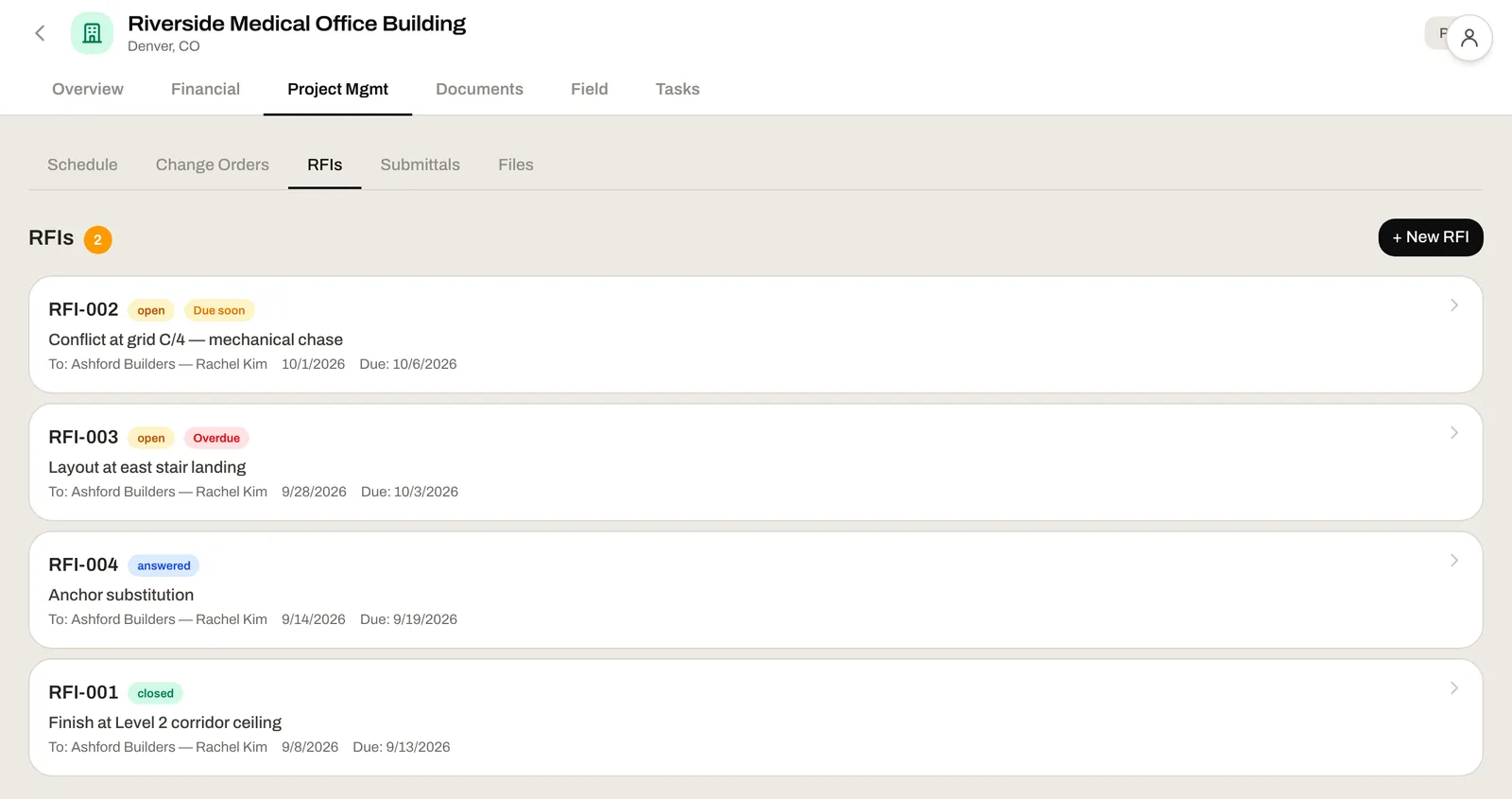
PMs spend the day chasing paper. RFI responses sit in someone's inbox. Submittals get marked up, returned, and nobody knows where the latest version lives. Change orders end up in a folder named CO_DRAFT_FINAL_v3_USE_THIS_ONE.docx. Daily logs get written, then never read.
We built one place for all of it, with the audit trail the GC actually needs and the workflow your PM actually uses.
One screen for the whole job — and one source of truth the GC can verify without logging in to another portal.
Procore makes the GC log in to respond. We send them a link they click once. Auto-numbered, status tracking, full audit trail, attachments included. The GC doesn't need an account — and you don't need to chase them through a portal.
Approval workflows, document attachments, date tracking. The version everyone's actually approving is the version in the project.
Procore tracks the CO. QuickBooks tracks the invoice. Neither connects them. Approve a CO here and the project budget shifts. WIP updates. The job's margin moves before close-out — not after.
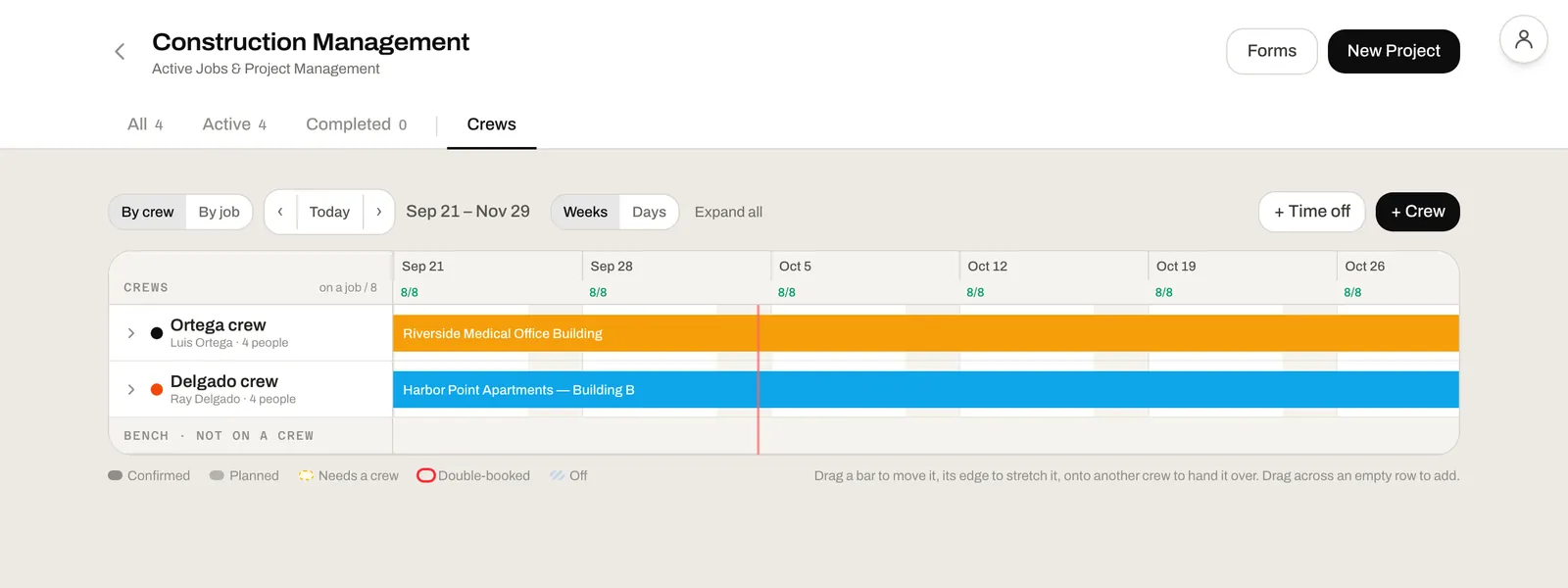
Gantt-style schedule with critical path calculation. See which tasks slipping actually move the finish date — and which can absorb the slip.
Workforce-by-trade comes straight from the clock-ins. Weather pulls from the project zip code. Your super adds two lines about a delivery and the log is done — before the GC even asks for it.
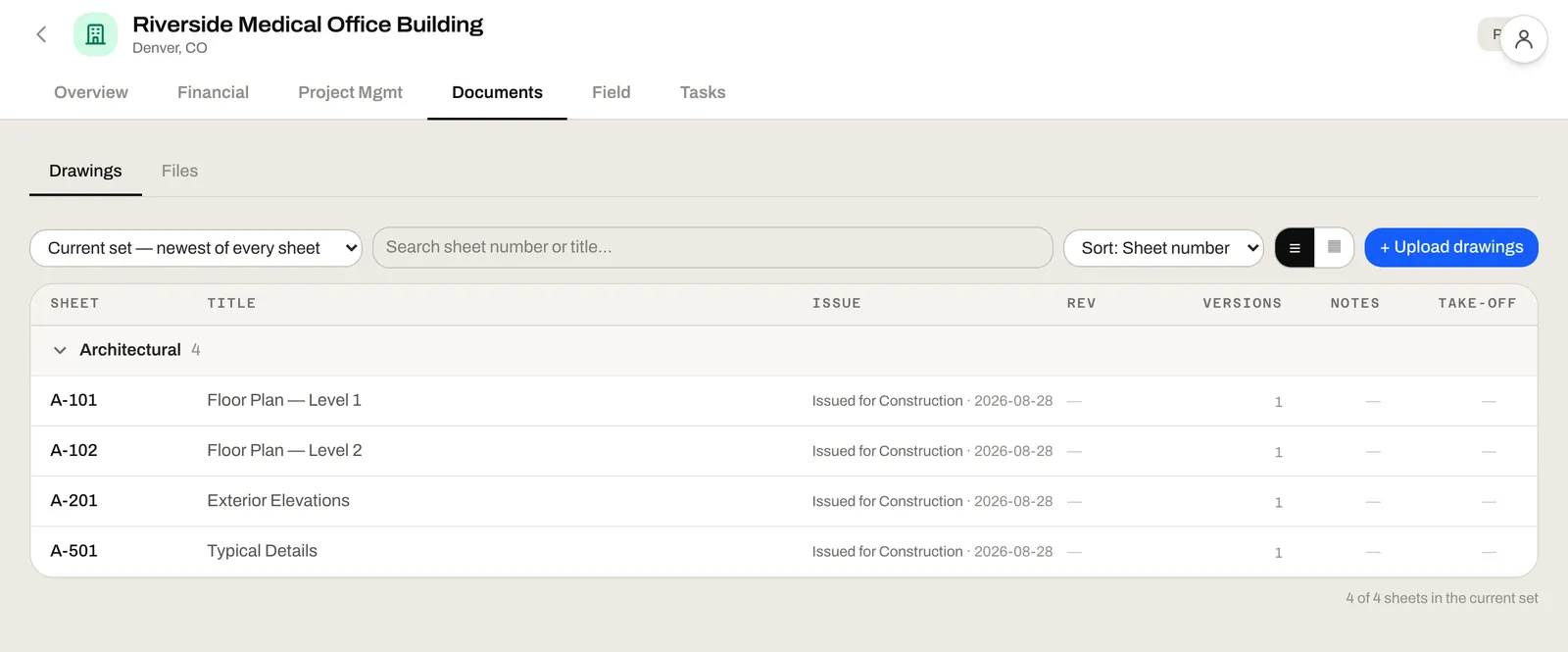
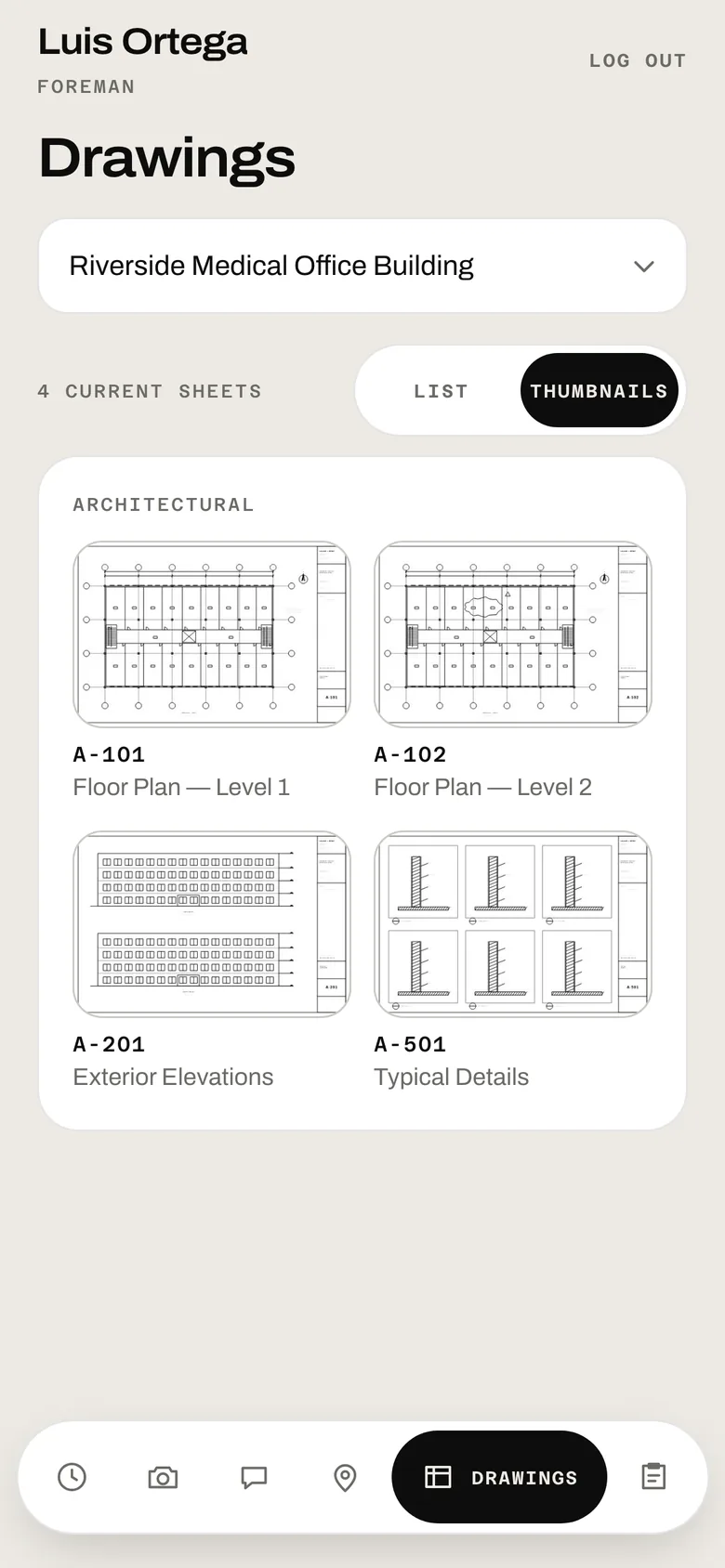
Plans, drawings, specs, photos, field-to-office material requests. One project, one document hub, one inbox for the field.
The won estimate is your budget. The takeoff is your scope baseline. Daily logs roll into payroll. Change orders update the budget. Accounting watches it all happen so you know your margin before the job is done — not after.
The won estimate becomes the project budget. PMs see what was promised in the bid versus what's been billed and installed — in real time.
Daily logs auto-populate from clocked-in time entries by trade and crew. The workforce-by-trade panel writes itself.
Change orders, RFIs with cost impact, and budget variance all flow into job costing. WIP is real-time, not a month-end ritual.
One screen for the whole job. RFIs, submittals, COs, schedule, daily logs. The portal the GC keeps asking for — but built around how you actually work.
Send a material request, get a response. Log the day, get back to work. Two screens you actually want to open on a phone.
Every project's status, budget, and change-order activity at a glance. Without calling a PM and asking for the update they're already overdue on.
Yes. Shared response links let GCs review and respond without an account. Full audit trail of who responded when stays attached to the project.
Not natively. But the shared response links work the way Procore and Autodesk Build response invites work, so GCs are already used to the pattern — they don't need new credentials.
Yes. An approved CO updates the project budget and shows up in the next WIP run — so margin impact is visible before the job is closed out.
Yes. Critical path is calculated. You see which tasks moving actually push the end date — and which have float to absorb the slip.
No. But they're the easiest single source of truth for workforce-by-trade reporting and GC compliance — and most of the data writes itself from time entries.
Book a 30-minute consultation and we'll walk through how an active job of yours — open RFIs, pending COs, current daily logs — would land in the system.